Image Manager Pro
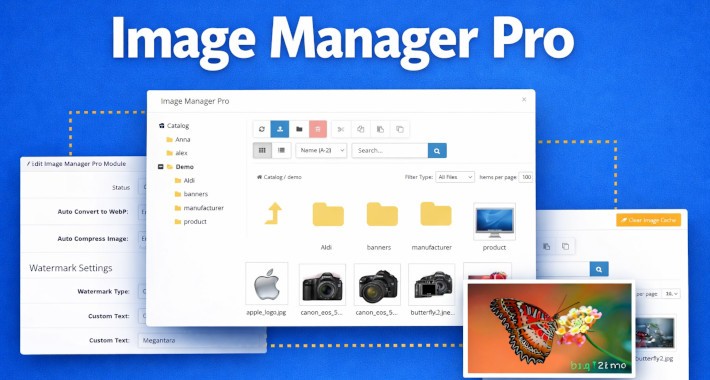
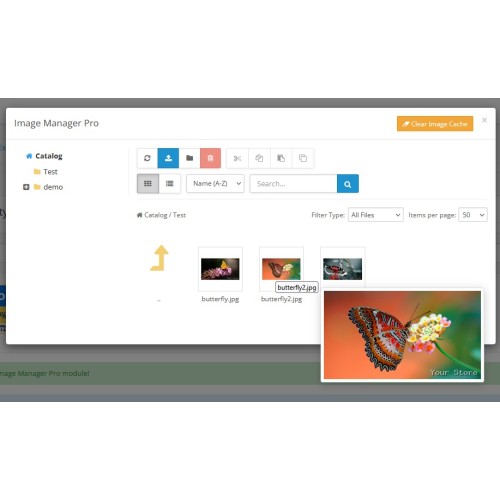
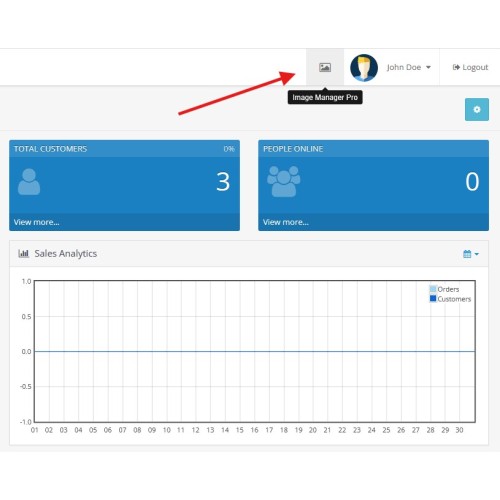
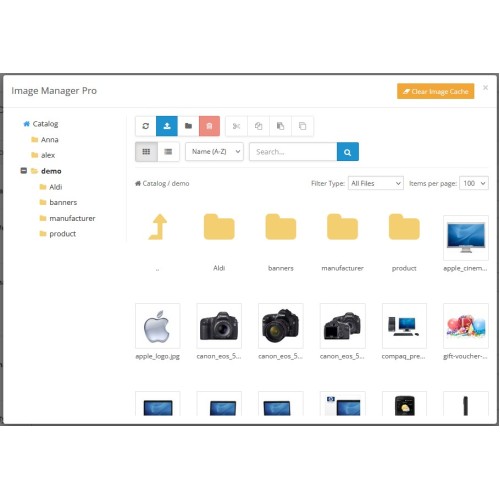
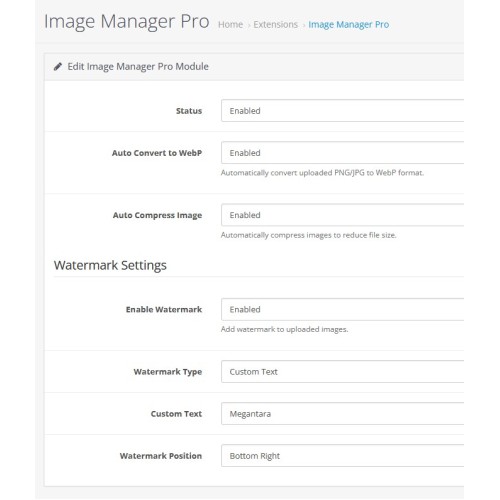


Image Manager Pro is a revolutionary, high-performance, and feature-packed replacement for the default OpenCart 3 and OpenCart 4 image manager. Built from the ground up with modern technologies like Flexbox, AJAX Live Search, and Intersection Observer Lazy Loading, it effortlessly handles thousands of images without freezing your browser.
Whether you are uploading a single product image or managing a massive media library, Image Manager Pro brings a true desktop-like experience right into your OpenCart dashboard.
==================================================
TOP FEATURES & HIGHLIGHTS
==================================================
1. BLAZING FAST PERFORMANCE
- Lazy Loading Thumbnails: Stop waiting for 1,000 images to load at once! Images only load when you scroll down, making folder navigation instant.
- Live AJAX Search: Find any image instantly. Just start typing, and the results filter in real-time without reloading the page.
- File Type Filter: Instantly narrow down your view to show only Folders, JPG, PNG, or WEBP files.
2. BUILT-IN IMAGE EDITOR (Powered by Toast UI)
- Right-click any image and select "Edit Image" to open a powerful, full-screen, native-looking dark/light mode editor.
- Crop, Flip, Rotate, Draw (freehand & straight lines), add Shapes, Stickers, Text, and apply stunning Filters.
- Click "Save to Server" and your image is instantly updated. We even built a smart cache-buster so the new thumbnail shows up immediately!
3. PRODUCT FORM "BULK ADD" (Game Changer!)
- Stop adding "Additional Images" one by one!
- Simply open the manager, multi-select (Ctrl+Click) as many images as you want, and hit the green "Bulk Add" button.
- All selected images are instantly populated into your OpenCart Product Form rows in one go! The first image replaces the clicked placeholder, and the rest are added as new rows.
4. AUTOMATIC WATERMARK & COMPRESSION
- Protect your images effortlessly. Automatically stamp your Store Name or Custom Text onto every uploaded image.
- Choose your watermark position (Top Left, Bottom Right, Center, etc.).
- Enable Automatic Compression to reduce file sizes (saves server space and boosts SEO).
- WEBP Support: Automatically convert heavy JPG/PNG uploads to the ultra-lightweight next-gen WEBP format!
5. DESKTOP-LIKE EXPERIENCE
- Hover Preview: Hover over any thumbnail to instantly see a larger preview without opening the image!
- Admin Header Shortcut: Access the Image Manager from anywhere in your admin panel via a convenient top-right header icon.
- Drag & Drop Upload: Drag files straight from your computer into the manager.
- Context Menu: Right-click files/folders for quick actions (Rename, Edit, Cut, Copy, Delete, Get Link).
- Multi-Select: Select multiple files at once.
- Duplicate (Clone): One-click duplication of any image (creates `image-COPY.jpg`).
- Tree-View Navigation: Accordion-style left sidebar to easily browse nested folders.
6. SMART STATE MEMORY
- The manager remembers exactly where you left off!
- It saves your Last Visited Folder, Current Page Number, View Mode (Grid/List), and "Items per page" limit using HTML5 LocalStorage.
7. ONE-CLICK CACHE CLEARER
- Sick of OpenCart showing old cached thumbnails? Click the orange "Clear Image Cache" button in the header to instantly flush the `image/cache/` directory right from the manager!
8. ADVANCED MANAGEMENT & STORAGE OPTIMIZATION
- Image Info & "Used By" Tracking: Switch to List View to instantly see image dimensions and discover exactly which products, categories, manufacturers, or banners are using a specific image. Easily identify images that are not used by the core system!
- Find Duplicates: Built-in MD5 hash scanner finds identical images across your entire library so you can delete redundant copies and free up server space.
- Recycle Bin / Trash: Deleted images are moved to a Recycle Bin. Safely restore accidental deletions or empty the trash for permanent removal.
---------------------------------------------------------
CLICK HERE for Complete Documentation
---------------------------------------------------------
Admin Demo:
https://ext2.kajokul.com/admin/
user: demo
password: demo
==================================================
REQUIREMENTS
==================================================
- OpenCart 3: 3.0.0.0 - 3.0.5.0
- OpenCart 4: 4.1.0.0 - 4.1.0.3
- PHP: 7.x, 8.x
- Extension Type: OCMOD (for OC3) (No core files overwritten)
- Easy 1-minute installation via Extension Installer.
Transform your OpenCart workflow today with Image Manager Pro!
Price
$29.95
- Developed by OpenCart Community
- 12 Months Free Support
- Documentation Included
Rating
Compatibility
4.1.0.0, 4.1.0.1, 4.1.0.2, 4.1.0.3, 3.0.1.2, 3.0.1.3, 3.0.2.0, 3.0.3.0, 3.0.3.1, 3.0.3.2, 3.0.3.3, 3.0.3.5, 3.0.3.6, 3.0.3.7, 3.0.3.8, 3.x.x.x, 3.0.3.9, 3.0.4.0, 3.0.4.1, 3.0.5.0
Last Update
13 Apr 2026
Created
10 Apr 2026
0 Sales
0 Comments

Login and write down your comment.
Login my OpenCart Account