Product price history
# Price Changes Module for OpenCart 1.5.5.x
## Description
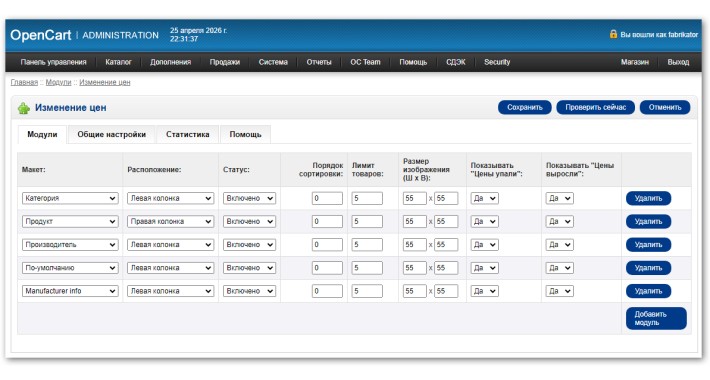
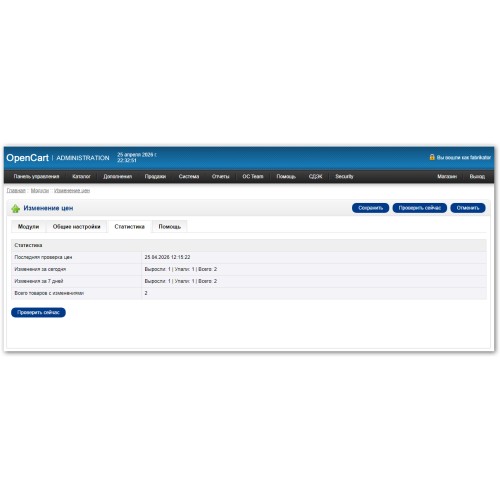
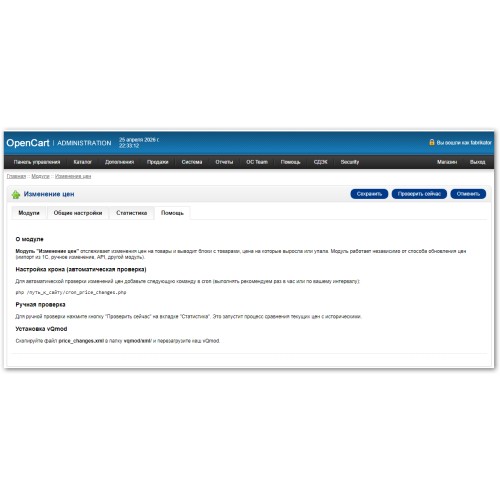
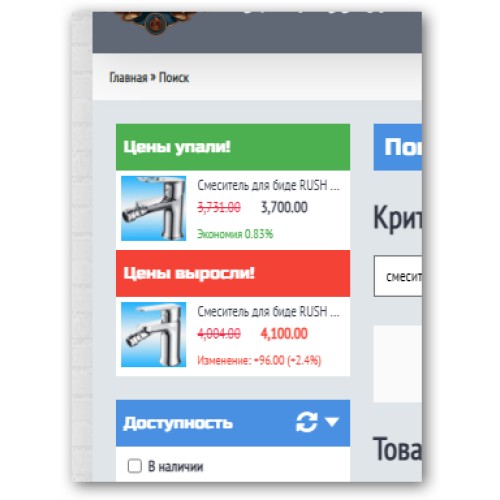
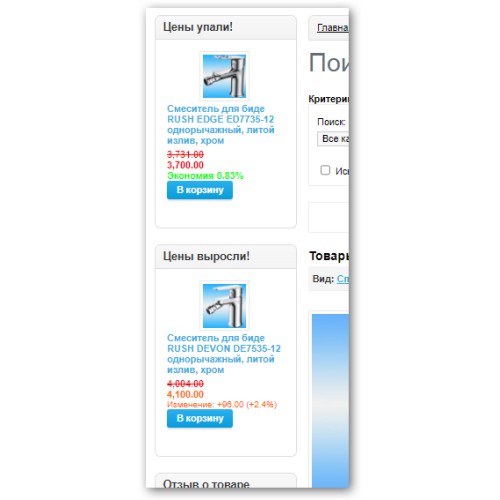
The module tracks product price changes and displays blocks with products that have increased or decreased in price. The module works independently of how prices are updated (1C import, manual edit, API, other modules).
## Features
- Track price changes (up/down)
- Display on category, product, manufacturer, and home pages
- Configurable position (left/right column, content top/bottom)
- Filter by categories and manufacturers
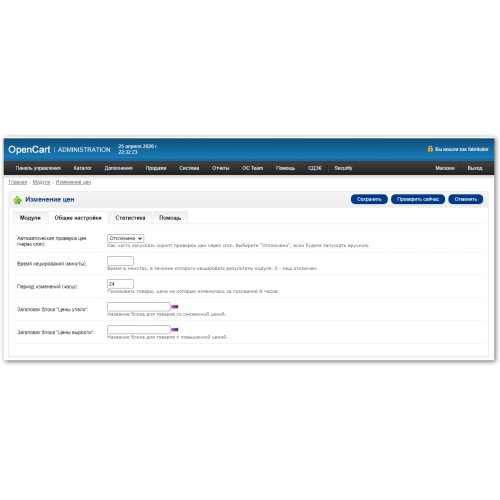
- Caching results for faster loading
- Multilingual support (Russian/English)
- Automatic and manual change detection (via cron)
## Installation
1. Copy module files to your site root (admin, catalog, vqmod, cron_price_changes.php)
2. Clear vQmod cache (delete all files in `/vqmod/vqcache/`)
3. Go to **Extensions → Modules → Price Changes** and click **"Install"**
4. Add the module to desired layouts and configure display
## Cron Setup (Automatic Check)
Add to crontab (recommended once per day):
0 3 * * * php /path_to_site/cron_price_changes.php
## Recommendations
- For stores with more than 10,000 products, set check interval to 12-24 hours
- After changing image dimensions in module settings, clear `/image/cache/` folder
## Compatibility
- OpenCart 1.5.х.x - 1.5.6.x
- PHP 5.3 - 7.4
- Requires vQmod 2.5+
## Support
For module support, please contact OpenCart forum
## Description
The module tracks product price changes and displays blocks with products that have increased or decreased in price. The module works independently of how prices are updated (1C import, manual edit, API, other modules).
## Features
- Track price changes (up/down)
- Display on category, product, manufacturer, and home pages
- Configurable position (left/right column, content top/bottom)
- Filter by categories and manufacturers
- Caching results for faster loading
- Multilingual support (Russian/English)
- Automatic and manual change detection (via cron)
## Installation
1. Copy module files to your site root (admin, catalog, vqmod, cron_price_changes.php)
2. Clear vQmod cache (delete all files in `/vqmod/vqcache/`)
3. Go to **Extensions → Modules → Price Changes** and click **"Install"**
4. Add the module to desired layouts and configure display
## Cron Setup (Automatic Check)
Add to crontab (recommended once per day):
0 3 * * * php /path_to_site/cron_price_changes.php
## Recommendations
- For stores with more than 10,000 products, set check interval to 12-24 hours
- After changing image dimensions in module settings, clear `/image/cache/` folder
## Compatibility
- OpenCart 1.5.х.x - 1.5.6.x
- PHP 5.3 - 7.4
- Requires vQmod 2.5+
## Support
For module support, please contact OpenCart forum
Price
$45.00
- Developed by OpenCart Community
- Documentation Included
Rating
Compatibility
1.5.0, 1.5.0.1, 1.5.0.2, 1.5.0.3, 1.5.0.4, 1.5.0.5, 1.5.1, 1.5.1.1, 1.5.1.2, 1.5.1.3, 1.5.2, 1.5.2.1, 1.5.3, 1.5.3.1, 1.5.4, 1.5.4.1, 1.5.5, 1.5.5.1, 1.5.6, 1.5.6.1, 1.5.6.2, 1.5.6.3, 1.5.6.4
Last Update
4 May 2026
Created
26 Apr 2026
0 Sales
0 Comments

Login and write down your comment.
Login my OpenCart Account