Khors - Modern OpenCart Theme
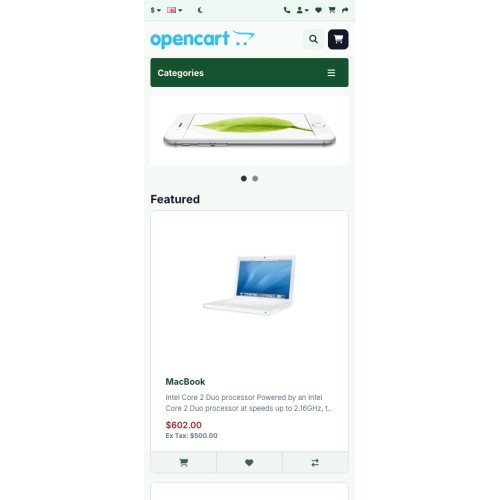
Khors Theme for OpenCart 4.1.x
Lightweight Premium Storefront Theme for Modern OpenCart Stores
---
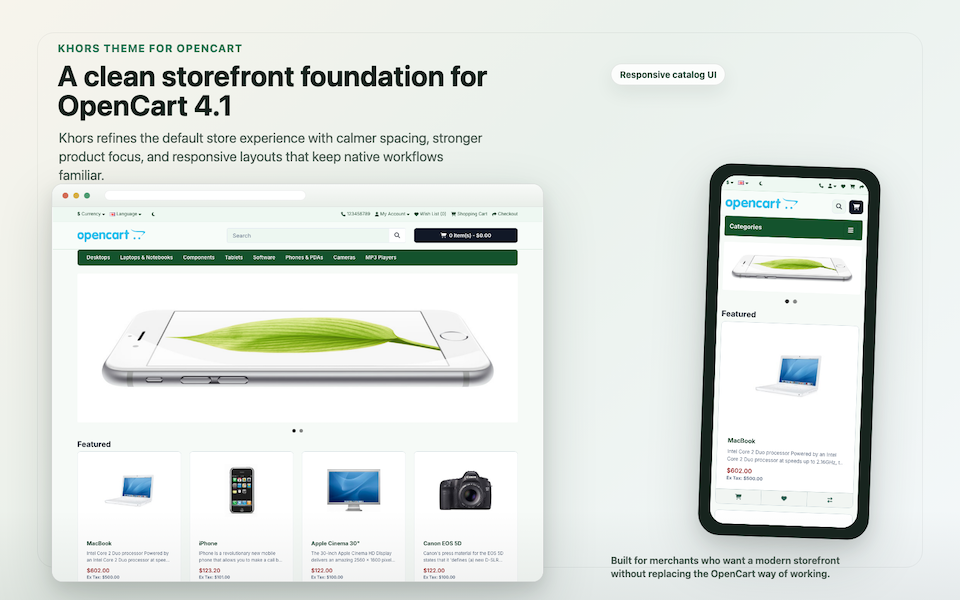
A Cleaner Storefront Foundation for OpenCart 4.1
Overview
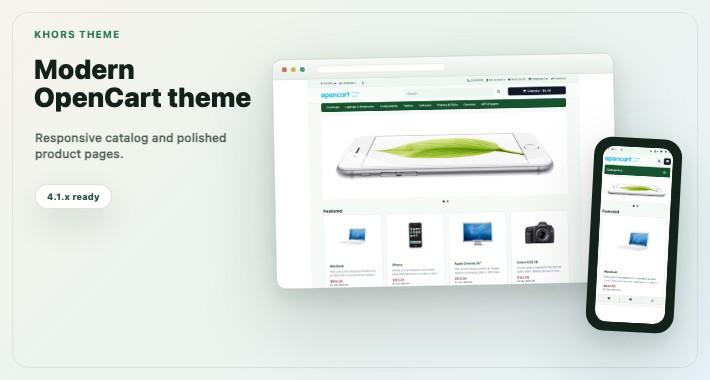
Khors is a lightweight premium storefront theme for OpenCart 4.1.x. It modernizes the default storefront with a refined visual system, merchant-controlled color schemes, light/dark/auto modes, configurable headers, polished product cards, and optional storefront modules.
The theme is designed for merchants and developers who want a more professional OpenCart storefront without a heavy page builder, core-file edits, or fragile template rewrites. Khors keeps OpenCart's native structure, Bootstrap assumptions, routes, modules, and extension compatibility in mind.
Live Demo
Preview the current Khors storefront demo here: https://khors.opencart.design4.pro
Preview color schemes directly without changing saved store settings:
- Neutral demo
- Sage demo
- Ocean demo
- Copper demo
- Noir demo
---
Key Features and Benefits
Compatibility-First OpenCart Theme
Khors is built for OpenCart 4.1.x and does not require OpenCart source edits. It preserves the default storefront structure and Bootstrap behavior so existing OpenCart workflows remain familiar.
Five Professional Color Schemes
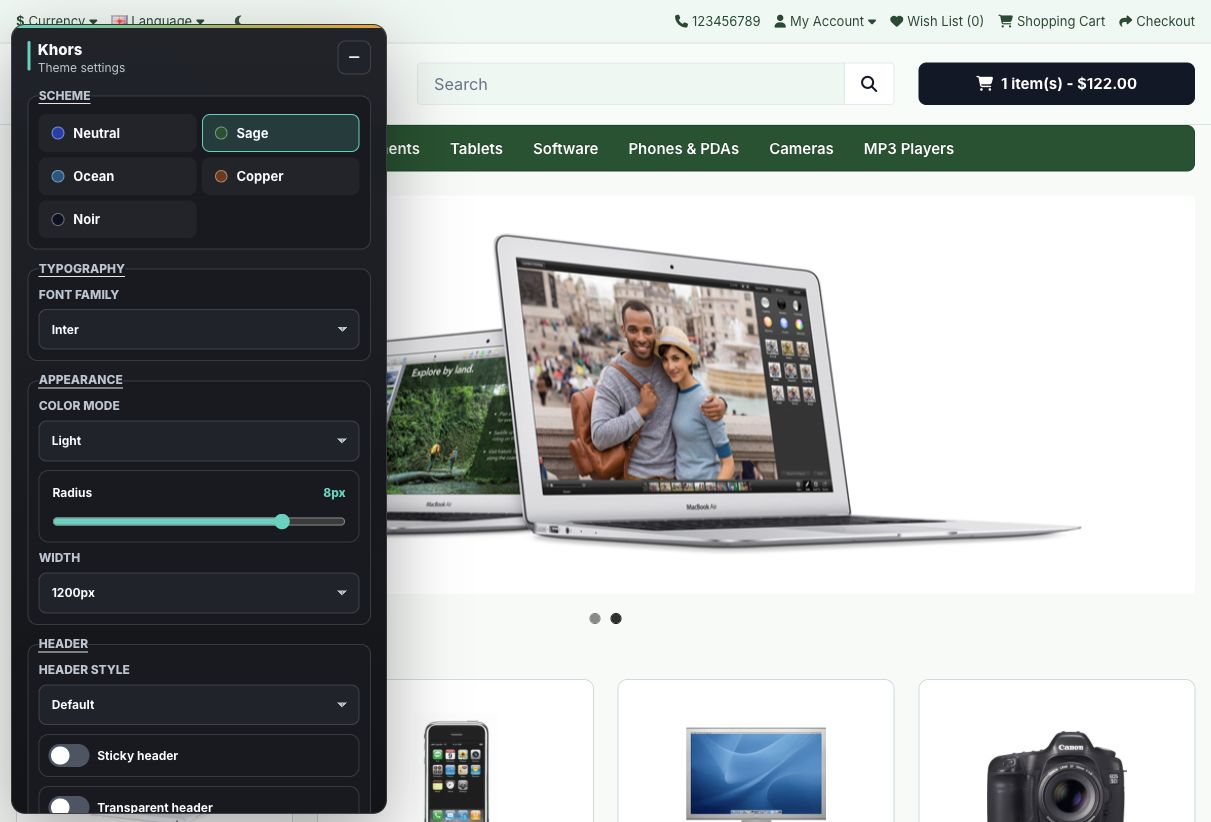
Choose from Neutral, Sage, Ocean, Copper, and Noir schemes. Each scheme uses the same storefront token system, keeping buttons, cards, headers, navigation, banners, and common modules visually consistent.
Light, Dark, and Auto Modes
Khors supports light mode, dark mode, and automatic system preference mode, giving the storefront a modern experience without custom template rewrites.
Configurable Header and Product Cards
Use admin settings to control sticky, transparent, and compact header behavior. Product cards can be tuned for minimal, elevated, or compact catalog presentation depending on your catalog density and brand style.
Visual Theme Control Panel
Logged-in administrators can preview schemes, color mode, typography, radius, layout width, header behavior, and product card styles from a storefront control panel before saving changes.
Optional Storefront Modules
Khors includes optional modules for a customer-facing scheme switcher, CSS-based banner slider, and navigation enhancements. Modules stay disabled until the merchant enables and assigns them to layouts.
Clean CSS Token Architecture
The theme uses CSS custom properties and small progressive JavaScript instead of heavy frontend dependencies. This keeps the theme easier to customize, review, and maintain.
---
Included Storefront Areas
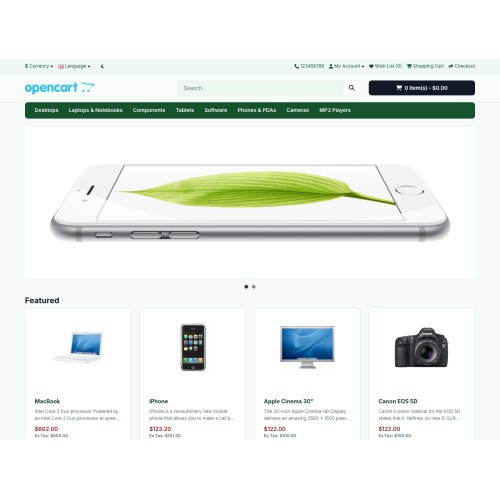
- Homepage: cleaner header, navigation, hero/banner area, and featured product presentation
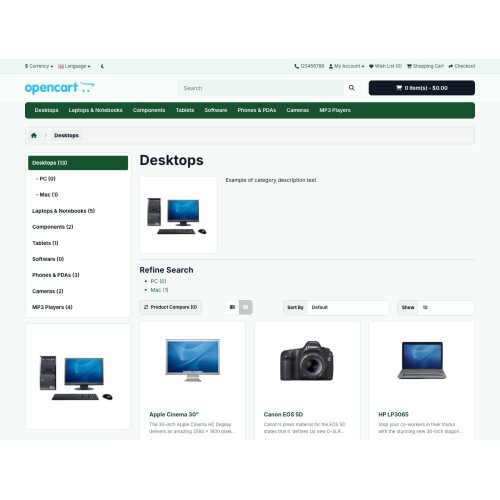
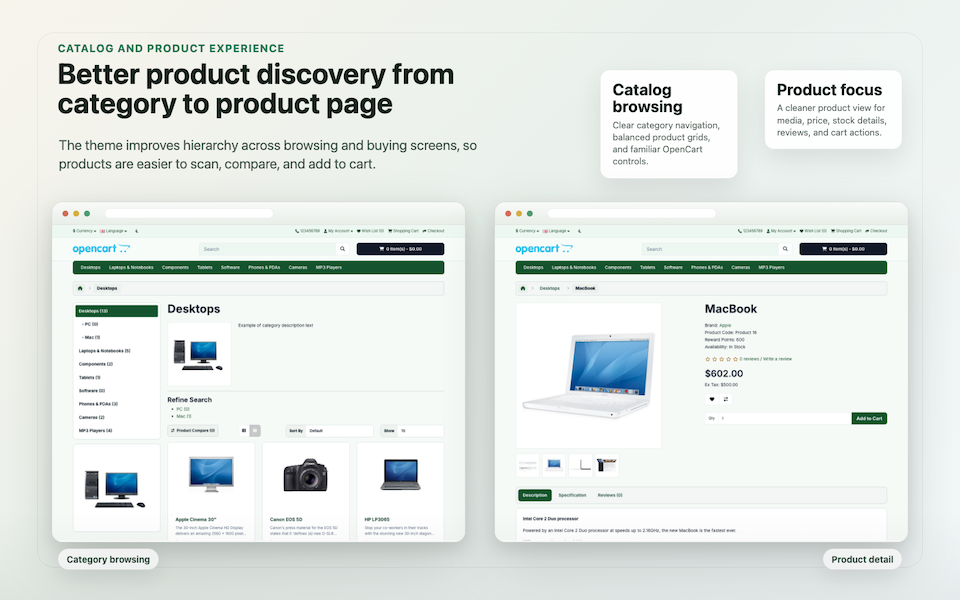
- Category pages: refined catalog grid, sidebar hierarchy, sorting controls, and product cards
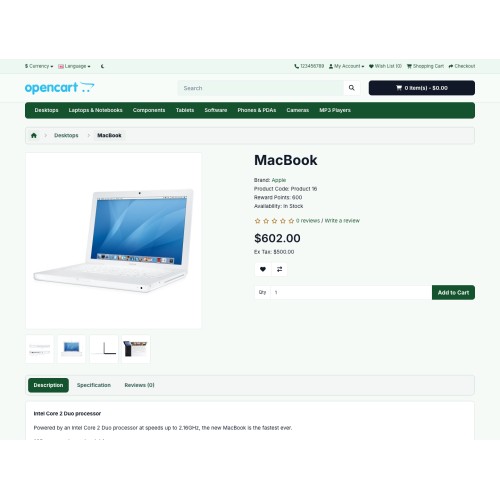
- Product pages: clearer product media, pricing, stock information, review area, and add-to-cart flow
- Responsive storefront: mobile-friendly presentation that keeps OpenCart's native customer workflows intact
- Optional modules: scheme switcher, CSS slider, and navigation module
---
Compatibility
- OpenCart Version: OpenCart 4.1.x
- Primary Reference Build: OpenCart 4.1.0.3
- Extension Code: oc_theme_khors
- Package File: oc_theme_khors.ocmod.zip
Khors does not modify OpenCart core files. It installs as a theme package and can be configured from the OpenCart admin panel.
---
Best Fit
Khors is a strong fit for catalog stores, boutiques, niche ecommerce, content-led shops, and OpenCart projects that need a stable premium theme layer for future customization.
---
Summary
Khors Theme for OpenCart 4.1.x gives merchants a clean, configurable, compatibility-first storefront upgrade with professional color schemes, practical admin controls, and modern product presentation.
Install Khors Theme and give your OpenCart store a modern premium storefront foundation.
---
Manufacturer: DESIGN4PRO | Support | Documentation | Live Demo
Lightweight Premium Storefront Theme for Modern OpenCart Stores
---
A Cleaner Storefront Foundation for OpenCart 4.1
Overview
Khors is a lightweight premium storefront theme for OpenCart 4.1.x. It modernizes the default storefront with a refined visual system, merchant-controlled color schemes, light/dark/auto modes, configurable headers, polished product cards, and optional storefront modules.
The theme is designed for merchants and developers who want a more professional OpenCart storefront without a heavy page builder, core-file edits, or fragile template rewrites. Khors keeps OpenCart's native structure, Bootstrap assumptions, routes, modules, and extension compatibility in mind.
Live Demo
Preview the current Khors storefront demo here: https://khors.opencart.design4.pro
Preview color schemes directly without changing saved store settings:
- Neutral demo
- Sage demo
- Ocean demo
- Copper demo
- Noir demo
---
Key Features and Benefits
Compatibility-First OpenCart Theme
Khors is built for OpenCart 4.1.x and does not require OpenCart source edits. It preserves the default storefront structure and Bootstrap behavior so existing OpenCart workflows remain familiar.
Five Professional Color Schemes
Choose from Neutral, Sage, Ocean, Copper, and Noir schemes. Each scheme uses the same storefront token system, keeping buttons, cards, headers, navigation, banners, and common modules visually consistent.
Light, Dark, and Auto Modes
Khors supports light mode, dark mode, and automatic system preference mode, giving the storefront a modern experience without custom template rewrites.
Configurable Header and Product Cards
Use admin settings to control sticky, transparent, and compact header behavior. Product cards can be tuned for minimal, elevated, or compact catalog presentation depending on your catalog density and brand style.
Visual Theme Control Panel
Logged-in administrators can preview schemes, color mode, typography, radius, layout width, header behavior, and product card styles from a storefront control panel before saving changes.
Optional Storefront Modules
Khors includes optional modules for a customer-facing scheme switcher, CSS-based banner slider, and navigation enhancements. Modules stay disabled until the merchant enables and assigns them to layouts.
Clean CSS Token Architecture
The theme uses CSS custom properties and small progressive JavaScript instead of heavy frontend dependencies. This keeps the theme easier to customize, review, and maintain.
---
Included Storefront Areas
- Homepage: cleaner header, navigation, hero/banner area, and featured product presentation
- Category pages: refined catalog grid, sidebar hierarchy, sorting controls, and product cards
- Product pages: clearer product media, pricing, stock information, review area, and add-to-cart flow
- Responsive storefront: mobile-friendly presentation that keeps OpenCart's native customer workflows intact
- Optional modules: scheme switcher, CSS slider, and navigation module
---
Compatibility
- OpenCart Version: OpenCart 4.1.x
- Primary Reference Build: OpenCart 4.1.0.3
- Extension Code: oc_theme_khors
- Package File: oc_theme_khors.ocmod.zip
Khors does not modify OpenCart core files. It installs as a theme package and can be configured from the OpenCart admin panel.
---
Best Fit
Khors is a strong fit for catalog stores, boutiques, niche ecommerce, content-led shops, and OpenCart projects that need a stable premium theme layer for future customization.
---
Summary
Khors Theme for OpenCart 4.1.x gives merchants a clean, configurable, compatibility-first storefront upgrade with professional color schemes, practical admin controls, and modern product presentation.
Install Khors Theme and give your OpenCart store a modern premium storefront foundation.
---
Manufacturer: DESIGN4PRO | Support | Documentation | Live Demo
Price
$50.00
- Developed by OpenCart Community
- Documentation Included
Rating
Compatibility
4.1.0.3
Last Update
30 Apr 2026
Created
30 Apr 2026
0 Sales
0 Comments

Login and write down your comment.
Login my OpenCart Account