Donation Checkout - Tiered Charity Widget for OpenCart
Donation Checkout — Tiered Charity Widget for OpenCart
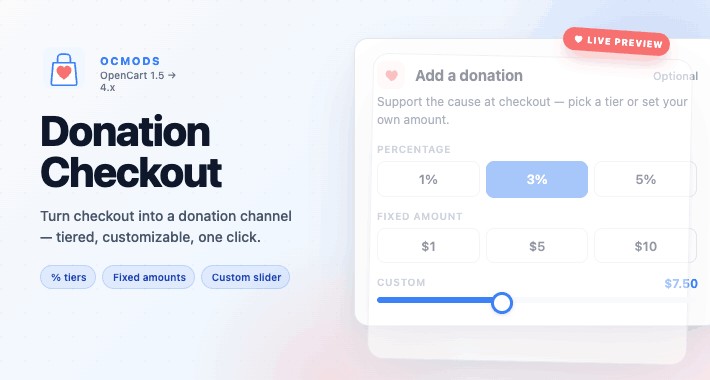
Turn checkout into a donation channel — in one click, on every store. Donation Checkout drops a polished, fully-styled donation widget onto the OpenCart confirm step so customers add a charitable contribution to their order without leaving the page. No extra payment flow. No theme edits. No developer time.
Built for charities, schools, animal shelters, NGOs, and any merchant raising funds for a cause at the moment goodwill peaks: right before the customer pays.
Why merchants pick it
Higher capture rate — donations live inside checkout, not on a separate page nobody visits
Three giving modes in one widget — percentage, fixed amount, or free-form slider
Looks native to your theme — full visual editor with live preview, custom CSS hook
Works on every OpenCart version — 1.5.x, 2.x, 3.x, 4.x
OC4 event-based — zero core file edits, clean install/uninstall
Features
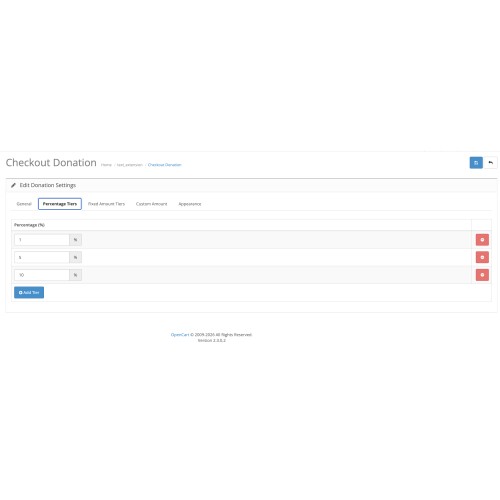
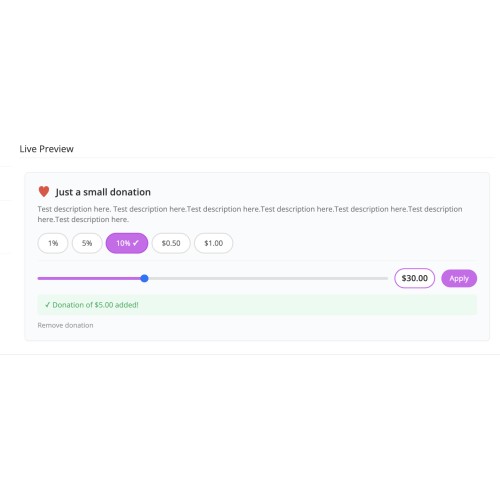
Percentage tiers — round-up buttons (1%, 3%, 5%, any value)
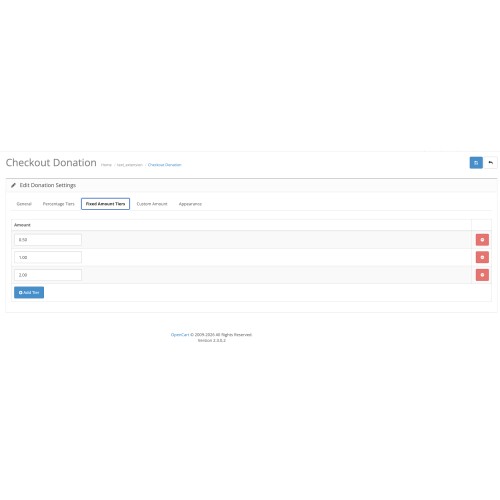
Fixed-amount tiers — preset $1 / $5 / $10 buttons in your store currency
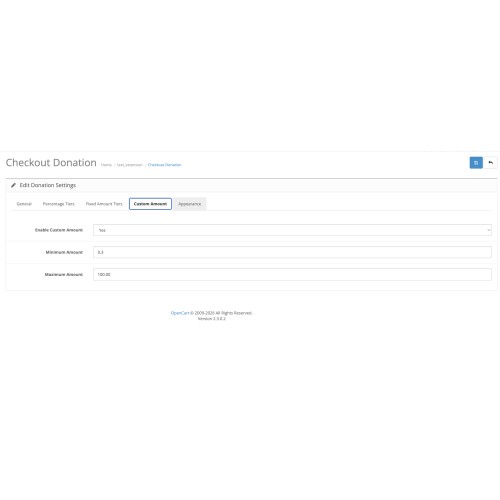
Custom amount slider — drag-to-pick or type, configurable min/max
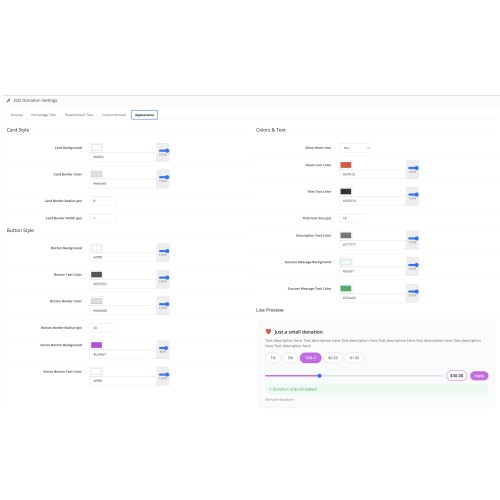
Live appearance editor — card background, borders, radius, button colors, active state, heart icon, fonts, sizes
Multi-currency & tax-class aware — donation respects active currency and rolls into VAT row when configured
Mobile-responsive — tested on phone, tablet, desktop
Custom CSS class hook — for theme-level overrides
Compatibility
OpenCart 4.x — event-based extension (no OCMOD), PHP 7.4+
OpenCart 2.x – 3.x — OCMOD XML, PHP 7.0+
OpenCart 1.5.x — vQmod XML, PHP 5.4+
Installation
OpenCart 4.x
1. Admin → Extensions → Installer → upload ocmdonation-v1.1.5-oc4.ocmod.zip
2. Admin → Extensions → Order Totals → find Checkout Donation → click Install
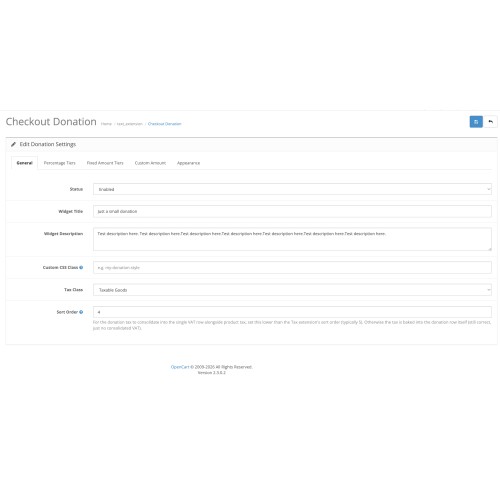
3. Click Edit to configure tiers, custom-amount range, tax class, appearance
4. Set Status → Enabled
OpenCart 2.x – 3.x
1. Admin → Extensions → Installer → upload ocmdonation-v{version}-oc3.ocmod.zip
2. Admin → Extensions → Modifications → click Refresh
3. Admin → Extensions → Order Totals → find Checkout Donation → Install → Edit
4. Enable and configure
OpenCart 1.5.x (requires vQmod)
1. Install vQmod if not already present
2. Upload Donation_vqmod.xml to /vqmod/xml/
3. Upload extension files to OpenCart root
4. Admin → Extensions → Order Totals → enable Checkout Donation and configure
Support & updates
Support: ocmods.com/support/
All future updates included for the major version you purchased
Single license — install on one store domain, no recurring fees
Made by OCmods.com — OpenCart extensions, built to last.
Turn checkout into a donation channel — in one click, on every store. Donation Checkout drops a polished, fully-styled donation widget onto the OpenCart confirm step so customers add a charitable contribution to their order without leaving the page. No extra payment flow. No theme edits. No developer time.
Built for charities, schools, animal shelters, NGOs, and any merchant raising funds for a cause at the moment goodwill peaks: right before the customer pays.
Why merchants pick it
Higher capture rate — donations live inside checkout, not on a separate page nobody visits
Three giving modes in one widget — percentage, fixed amount, or free-form slider
Looks native to your theme — full visual editor with live preview, custom CSS hook
Works on every OpenCart version — 1.5.x, 2.x, 3.x, 4.x
OC4 event-based — zero core file edits, clean install/uninstall
Features
Percentage tiers — round-up buttons (1%, 3%, 5%, any value)
Fixed-amount tiers — preset $1 / $5 / $10 buttons in your store currency
Custom amount slider — drag-to-pick or type, configurable min/max
Live appearance editor — card background, borders, radius, button colors, active state, heart icon, fonts, sizes
Multi-currency & tax-class aware — donation respects active currency and rolls into VAT row when configured
Mobile-responsive — tested on phone, tablet, desktop
Custom CSS class hook — for theme-level overrides
Compatibility
OpenCart 4.x — event-based extension (no OCMOD), PHP 7.4+
OpenCart 2.x – 3.x — OCMOD XML, PHP 7.0+
OpenCart 1.5.x — vQmod XML, PHP 5.4+
Installation
OpenCart 4.x
1. Admin → Extensions → Installer → upload ocmdonation-v1.1.5-oc4.ocmod.zip
2. Admin → Extensions → Order Totals → find Checkout Donation → click Install
3. Click Edit to configure tiers, custom-amount range, tax class, appearance
4. Set Status → Enabled
OpenCart 2.x – 3.x
1. Admin → Extensions → Installer → upload ocmdonation-v{version}-oc3.ocmod.zip
2. Admin → Extensions → Modifications → click Refresh
3. Admin → Extensions → Order Totals → find Checkout Donation → Install → Edit
4. Enable and configure
OpenCart 1.5.x (requires vQmod)
1. Install vQmod if not already present
2. Upload Donation_vqmod.xml to /vqmod/xml/
3. Upload extension files to OpenCart root
4. Admin → Extensions → Order Totals → enable Checkout Donation and configure
Support & updates
Support: ocmods.com/support/
All future updates included for the major version you purchased
Single license — install on one store domain, no recurring fees
Made by OCmods.com — OpenCart extensions, built to last.
Price
$20.00
- Developed by OpenCart Community
- 12 Months Free Support
- Documentation Included
Rating
Compatibility
4.0.0.0, 4.0.1.0, 4.0.1.1, 4.0.2.0, 4.0.2.1, 4.0.2.2, 4.0.2.3, 4.1.0.0, 4.1.0.1, 4.1.0.2, 4.1.0.3, 2.0.0.0, 2.0.1.0, 2.0.1.1, 2.0.2.0, 2.0.3.1, 2.1.0.1, 2.1.0.2, 2.2.0.0, 2.3.0.0, 2.3.0.1, 2.3.0.2, 3.0.0.0, 3.0.1.0, 3.0.1.1, 3.0.1.2, 3.0.1.3, 3.0.2.0, 3.0.3.0, 3.0.3.1, 3.0.3.2, 3.0.3.3, 3.0.3.5, 3.0.3.6, 3.0.3.7, 3.0.3.8, 3.x.x.x, 3.0.3.9, 3.0.4.0, 3.0.4.1, 3.0.5.0, 1.5.1.2, 1.5.1.3, 1.5.2, 1.5.2.1, 1.5.3, 1.5.3.1, 1.5.4, 1.5.4.1, 1.5.5, 1.5.5.1, 1.5.6, 1.5.6.1, 1.5.6.2, 1.5.6.3, 1.5.6.4
Last Update
2 Jun 2026
Created
30 Apr 2026
0 Sales
0 Comments

Login and write down your comment.
Login my OpenCart Account