Robo SMS
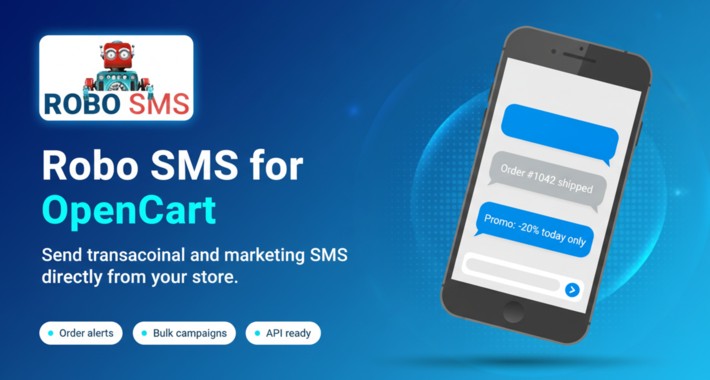
Send your customers an SMS the moment their order status changes. RoboSMS turns your own Android phone into an SMS gateway, so every notification is sent through your real SIM at your normal carrier rate. No per-message gateway fees, no third-party number, no copy-pasting status updates by hand.
What RoboSMS is
RoboSMS (robo-sms.com) is a service that connects your Android phone to your online store. You install the free RoboSMS app on a phone with an active SIM, link it to your RoboSMS account, and your shop can then push SMS through that phone. Because messages physically leave from your own SIM, they arrive as a normal text from a familiar number. You pay your carrier whatever your SIM plan costs (often nothing if you have an unlimited-SMS plan), plus a small per-SMS fee to RoboSMS for the gateway service. Pricing details: https://robo-sms.com/en/pricing.
What this extension does
This OpenCart module works on both 3.x and 4.x. It hooks into the order workflow and sends a templated SMS every time an order status changes, when the merchant ticks "Notify customer". You define one message per status (Pending, Processing, Shipped, Complete, Cancelled, and so on), and the matching SMS is dispatched automatically through your RoboSMS gateway. Nothing manual, nothing scheduled, no cron jobs.
Typical use cases
- Confirm the order to the customer the second it lands ("Comanda 1042 a fost primita. Multumim!")
- Notify when payment is captured or processing starts
- Send the courier tracking notice when the order ships
- Alert on cancellations or refunds
- Recover abandoned-status orders by pinging when the status is Pending too long
Requirements
- OpenCart 3.x or 4.x
- A free account on robo-sms.com
- An Android phone with the RoboSMS app installed and a SIM with SMS allowance
- PHP cURL extension enabled (standard on every host)
Installation: OpenCart 3.x
1. Download the extension; inside the package you get robosms_oc3-x.x.x.ocmod.zip.
2. Admin: Extensions > Installer > upload the zip.
3. Extensions > Modifications > click the refresh icon.
4. Extensions > Extensions > filter by "Modules" > install RoboSMS > click Edit.
5. Paste the API token from your RoboSMS account, set the default country code, save.
6. Add your templates per order status and save again.
7. Send a test SMS to confirm.
Installation: OpenCart 4.x
1. Download the extension; inside the package you get robosms_oc4.ocmod.zip (no version in the filename; OC4 requires this).
2. Admin: Extensions > Installer > upload the zip > click the green Install button to extract.
3. Extensions > Extensions > filter by "Modules" > install RoboSMS > click Edit.
4. Paste the API token from your RoboSMS account, set the default country code, save.
5. Add your templates per order status and save again.
6. Send a test SMS to confirm.
Full install guide is included in INSTALL.txt inside the package.
Pricing
The OpenCart extension is free. The RoboSMS service has its own per-SMS pricing (see https://robo-sms.com/en/pricing), billed via credit packs purchased on robo-sms.com. Signup is free, no card required to start. On top of that, you pay whatever your SIM carrier charges for the actual text; with an unlimited-SMS plan that's typically zero per message.
Support
- Contact form: https://robo-sms.com/en/contact
- Email: support@robo-sms.com
We answer feature requests and bug reports directly. The plugin is open-source-friendly inside the OCMOD package, so you can audit or extend any file.
What RoboSMS is
RoboSMS (robo-sms.com) is a service that connects your Android phone to your online store. You install the free RoboSMS app on a phone with an active SIM, link it to your RoboSMS account, and your shop can then push SMS through that phone. Because messages physically leave from your own SIM, they arrive as a normal text from a familiar number. You pay your carrier whatever your SIM plan costs (often nothing if you have an unlimited-SMS plan), plus a small per-SMS fee to RoboSMS for the gateway service. Pricing details: https://robo-sms.com/en/pricing.
What this extension does
This OpenCart module works on both 3.x and 4.x. It hooks into the order workflow and sends a templated SMS every time an order status changes, when the merchant ticks "Notify customer". You define one message per status (Pending, Processing, Shipped, Complete, Cancelled, and so on), and the matching SMS is dispatched automatically through your RoboSMS gateway. Nothing manual, nothing scheduled, no cron jobs.
Typical use cases
- Confirm the order to the customer the second it lands ("Comanda 1042 a fost primita. Multumim!")
- Notify when payment is captured or processing starts
- Send the courier tracking notice when the order ships
- Alert on cancellations or refunds
- Recover abandoned-status orders by pinging when the status is Pending too long
Requirements
- OpenCart 3.x or 4.x
- A free account on robo-sms.com
- An Android phone with the RoboSMS app installed and a SIM with SMS allowance
- PHP cURL extension enabled (standard on every host)
Installation: OpenCart 3.x
1. Download the extension; inside the package you get robosms_oc3-x.x.x.ocmod.zip.
2. Admin: Extensions > Installer > upload the zip.
3. Extensions > Modifications > click the refresh icon.
4. Extensions > Extensions > filter by "Modules" > install RoboSMS > click Edit.
5. Paste the API token from your RoboSMS account, set the default country code, save.
6. Add your templates per order status and save again.
7. Send a test SMS to confirm.
Installation: OpenCart 4.x
1. Download the extension; inside the package you get robosms_oc4.ocmod.zip (no version in the filename; OC4 requires this).
2. Admin: Extensions > Installer > upload the zip > click the green Install button to extract.
3. Extensions > Extensions > filter by "Modules" > install RoboSMS > click Edit.
4. Paste the API token from your RoboSMS account, set the default country code, save.
5. Add your templates per order status and save again.
6. Send a test SMS to confirm.
Full install guide is included in INSTALL.txt inside the package.
Pricing
The OpenCart extension is free. The RoboSMS service has its own per-SMS pricing (see https://robo-sms.com/en/pricing), billed via credit packs purchased on robo-sms.com. Signup is free, no card required to start. On top of that, you pay whatever your SIM carrier charges for the actual text; with an unlimited-SMS plan that's typically zero per message.
Support
- Contact form: https://robo-sms.com/en/contact
- Email: support@robo-sms.com
We answer feature requests and bug reports directly. The plugin is open-source-friendly inside the OCMOD package, so you can audit or extend any file.
Download
- Developed by OpenCart Community
- Documentation Included
Rating
Compatibility
4.x.x.x, 3.x.x.x
Last Update
18 May 2026
Created
14 May 2026
8 Downloads
0 Comments

Login and write down your comment.
Login my OpenCart Account