Universal Payment Description with Summernote Editor
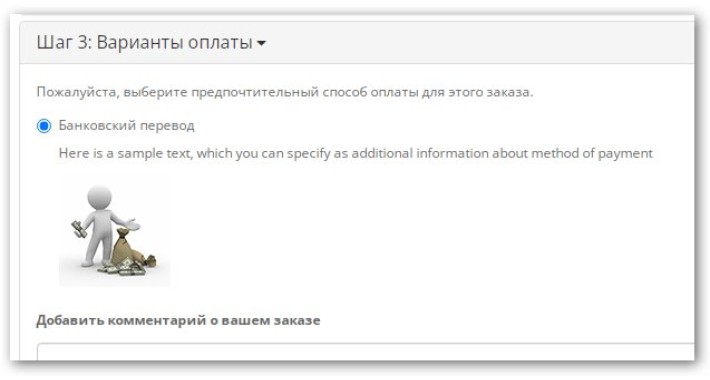
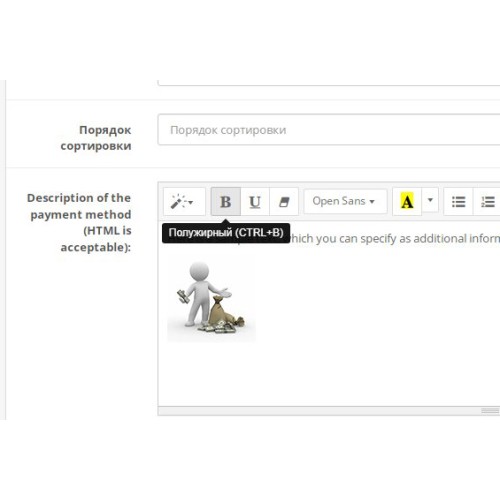
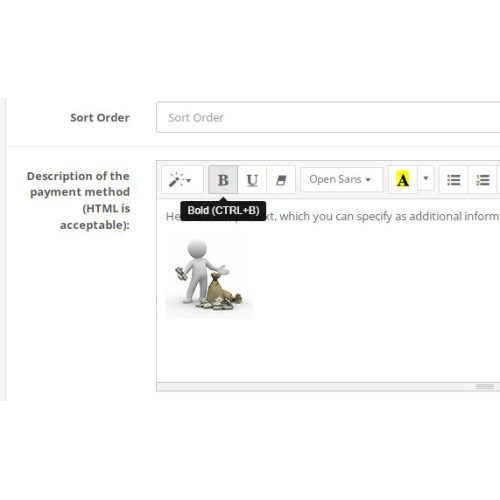
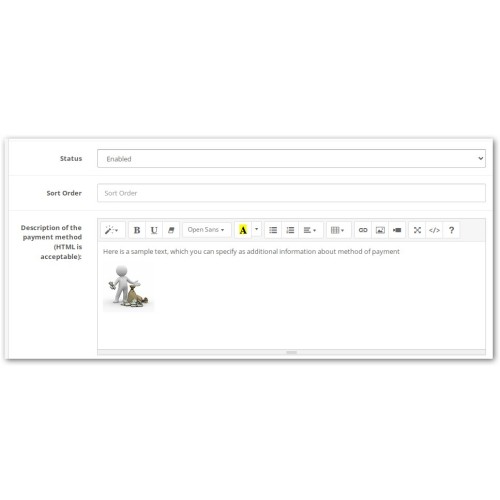
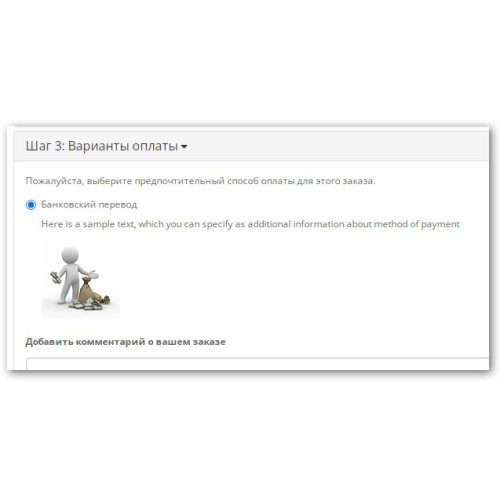
Добавляет поле с визуальным HTML-редактором Summernote к каждому способу оплаты. Позволяет разместить подробное описание, инструкцию, предупреждение или любую дополнительную информацию под названием метода оплаты при оформлении заказа.
Adds a field with Summernote's visual HTML editor to each payment method. This allows you to place a detailed description, instructions, warnings, or any additional information below the payment method name during checkout.
---------------------------------------------------------------------------------------------------------
Universal Payment Description with Summernote Editor is a powerful extension for OpenCart 3.x that allows you to add a text box with a visual HTML editor to every payment method on your website.
Module capabilities:
✅ Automatic integration — the field appears in all payment methods without manual code addition. Works with both standard and third-party payment modules.
✅ The Summernote visual editor is an intuitive WYSIWYG editor with a formatting bar (bold, italics, lists, links, pictures).
✅ HTML support — you can insert any HTML code, create tables, embed videos, etc.
✅ Individual descriptions — each payment method stores its own unique description.
✅ Display on the showcase — the description is displayed under the name of the payment method at the time of order registration.
✅ Multilingualism — the editor supports Russian, English and other languages (the language is determined automatically from the administrator settings).
✅ Secure Saving—data is saved with proper handling of HTML entities.
Examples of use:
Bank transfer — specify details, sample receipt, commission
Payment on delivery — warn of the need for delivery, specify possible commission
PayPal / Stripe — add accepted card logos, link to rates
Free Checkout — inform that order will be processed manually
Any method — post a warning, contact details.
Specifications:
Runs on pure OpenCart 3.x without additional libraries
Uses built-in Summernote (does not require installation of third-party editors)
Does not conflict with other modules
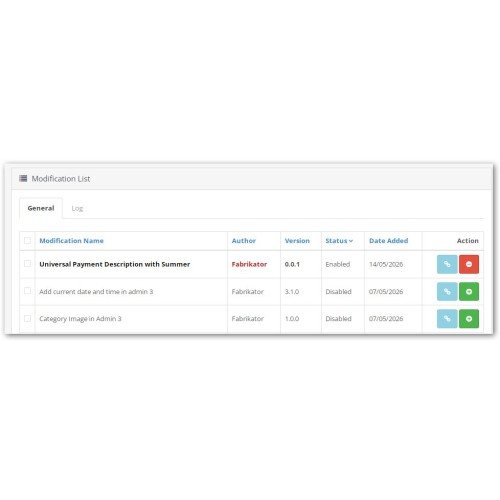
Easy installation via standard installer modifications
Compatibility
OpenCart 3.0.0.0, 3.0.1.0, 3.0.2.0, 3.0.3.0 - 3.0.3.9
OpenCart 3.1.x.x
Installation
Download the ZIP archive via Extensions → Installer
Go to Extensions → Modifications and click the Refresh button
Clear the cache: Tools → Clear Cache (check both items)
Open any payment method (Extensions → Payments) — a visual editor box will appear at the bottom of the form
Instructions for use
Go to Extensions → Payments and select the desired payment method
In the Payment Method Description box, enter text with the formatting
Click Save
Check the result on the display case at checkout
Frequently Asked Questions
Q: Does the module work with my payment modules?
A: Yes, the module automatically adds a field to all payment methods, including third-party ones.
Q: Can I embed pictures?
A: Yes, the Summernote editor supports inserting images. Use the standard OpenCart file manager to upload files.
Q: Does the module support multilingualism?
A: Yes, the editor interface automatically switches to the administrator language.
Q: Do I need to edit the files manually?
A: No, the installation is through the standard modification installer.
Q: Will the description be deleted when the module is disabled?
About: The data is saved in the database. When the module is reactivated, everything will return to normal.
Change Log
Version 0.0.1 (5/14/2026)
First public release
Support all payment methods
Automatic determination of method code via route
Full compatibility with OpenCart 3.x
Support
For questions of installation and configuration please contact in the comments to the extension or by mail: LexX2605@yandex.ru
Adds a field with Summernote's visual HTML editor to each payment method. This allows you to place a detailed description, instructions, warnings, or any additional information below the payment method name during checkout.
---------------------------------------------------------------------------------------------------------
Universal Payment Description with Summernote Editor is a powerful extension for OpenCart 3.x that allows you to add a text box with a visual HTML editor to every payment method on your website.
Module capabilities:
✅ Automatic integration — the field appears in all payment methods without manual code addition. Works with both standard and third-party payment modules.
✅ The Summernote visual editor is an intuitive WYSIWYG editor with a formatting bar (bold, italics, lists, links, pictures).
✅ HTML support — you can insert any HTML code, create tables, embed videos, etc.
✅ Individual descriptions — each payment method stores its own unique description.
✅ Display on the showcase — the description is displayed under the name of the payment method at the time of order registration.
✅ Multilingualism — the editor supports Russian, English and other languages (the language is determined automatically from the administrator settings).
✅ Secure Saving—data is saved with proper handling of HTML entities.
Examples of use:
Bank transfer — specify details, sample receipt, commission
Payment on delivery — warn of the need for delivery, specify possible commission
PayPal / Stripe — add accepted card logos, link to rates
Free Checkout — inform that order will be processed manually
Any method — post a warning, contact details.
Specifications:
Runs on pure OpenCart 3.x without additional libraries
Uses built-in Summernote (does not require installation of third-party editors)
Does not conflict with other modules
Easy installation via standard installer modifications
Compatibility
OpenCart 3.0.0.0, 3.0.1.0, 3.0.2.0, 3.0.3.0 - 3.0.3.9
OpenCart 3.1.x.x
Installation
Download the ZIP archive via Extensions → Installer
Go to Extensions → Modifications and click the Refresh button
Clear the cache: Tools → Clear Cache (check both items)
Open any payment method (Extensions → Payments) — a visual editor box will appear at the bottom of the form
Instructions for use
Go to Extensions → Payments and select the desired payment method
In the Payment Method Description box, enter text with the formatting
Click Save
Check the result on the display case at checkout
Frequently Asked Questions
Q: Does the module work with my payment modules?
A: Yes, the module automatically adds a field to all payment methods, including third-party ones.
Q: Can I embed pictures?
A: Yes, the Summernote editor supports inserting images. Use the standard OpenCart file manager to upload files.
Q: Does the module support multilingualism?
A: Yes, the editor interface automatically switches to the administrator language.
Q: Do I need to edit the files manually?
A: No, the installation is through the standard modification installer.
Q: Will the description be deleted when the module is disabled?
About: The data is saved in the database. When the module is reactivated, everything will return to normal.
Change Log
Version 0.0.1 (5/14/2026)
First public release
Support all payment methods
Automatic determination of method code via route
Full compatibility with OpenCart 3.x
Support
For questions of installation and configuration please contact in the comments to the extension or by mail: LexX2605@yandex.ru
Price
$30.00
- Developed by OpenCart Community
- Documentation Included
Rating
Compatibility
3.0.0.0, 3.0.1.0, 3.0.1.1, 3.0.1.2, 3.0.1.3, 3.0.2.0, 3.0.3.0, 3.0.3.1, 3.0.3.2, 3.0.3.3, 3.0.3.5, 3.0.3.6, 3.0.3.7, 3.0.3.8, 3.x.x.x, 3.0.3.9, 3.0.4.0, 3.0.4.1, 3.0.5.0
Last Update
14 May 2026
Created
14 May 2026
0 Sales
0 Comments

Login and write down your comment.
Login my OpenCart Account