KP Accountable — Auto Send Invoice
KP Accountable — Auto Send Invoice
Automatic PDF invoice delivery on every completed order.
Short description
Sends the OpenCart PDF invoice by email the moment an order is marked Complete. Configure once, runs forever. Zero manual work.
Full description
Every time an order reaches the Complete status in your OpenCart store, this module automatically generates the exact same PDF invoice that OpenCart produces — and emails it to the address you configure.
Point it at your accountant, your bookkeeping software inbox, a shared mailbox, or any automated workflow. You set it up once. From that point on, every completed order is handled without you lifting a finger.
It does not matter what triggered the status change. A shipping integration, a payment provider callback, a manual update from the admin — the moment the status hits Complete, the invoice goes out.
Key features
Sends the exact OpenCart invoice — same layout, same invoice number, same data as "Print Invoice" in the admin
Any recipient — accountant inbox, bookkeeping app, shared mailbox, automated workflow
Any trigger — fires on every Complete status change regardless of what caused it
Hooks both admin-side and catalog-side order status changes
Admin log with full history per order — date, recipient, status, error detail
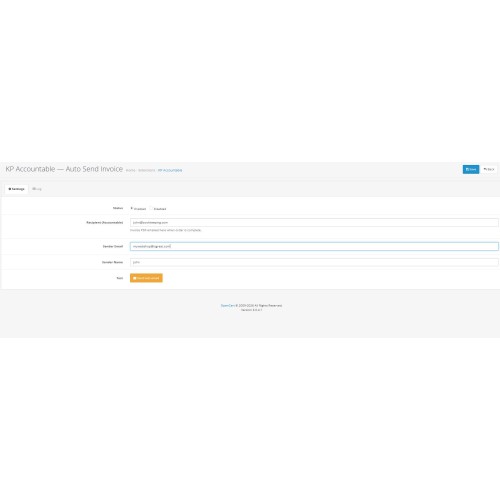
Test mail button to verify your mail setup before going live
Configurable sender name and sender email
Compatible with OpenCart's built-in mail engine — SMTP, PHP mail, or any configured provider
Works with OpenCart's native invoice numbering and prefix system
Who is this for
Any merchant who is tired of manually downloading or forwarding invoices after every sale. Especially useful when order volume is high, when working with an external accountant who needs invoices delivered reliably, or when using a bookkeeping platform that processes emailed PDF invoices automatically.
Automatic PDF invoice delivery on every completed order.
Short description
Sends the OpenCart PDF invoice by email the moment an order is marked Complete. Configure once, runs forever. Zero manual work.
Full description
Every time an order reaches the Complete status in your OpenCart store, this module automatically generates the exact same PDF invoice that OpenCart produces — and emails it to the address you configure.
Point it at your accountant, your bookkeeping software inbox, a shared mailbox, or any automated workflow. You set it up once. From that point on, every completed order is handled without you lifting a finger.
It does not matter what triggered the status change. A shipping integration, a payment provider callback, a manual update from the admin — the moment the status hits Complete, the invoice goes out.
Key features
Sends the exact OpenCart invoice — same layout, same invoice number, same data as "Print Invoice" in the admin
Any recipient — accountant inbox, bookkeeping app, shared mailbox, automated workflow
Any trigger — fires on every Complete status change regardless of what caused it
Hooks both admin-side and catalog-side order status changes
Admin log with full history per order — date, recipient, status, error detail
Test mail button to verify your mail setup before going live
Configurable sender name and sender email
Compatible with OpenCart's built-in mail engine — SMTP, PHP mail, or any configured provider
Works with OpenCart's native invoice numbering and prefix system
Who is this for
Any merchant who is tired of manually downloading or forwarding invoices after every sale. Especially useful when order volume is high, when working with an external accountant who needs invoices delivered reliably, or when using a bookkeeping platform that processes emailed PDF invoices automatically.
Price
$20.00
- Developed by OpenCart Community
- Documentation Included
Rating
Compatibility
3.x.x.x, 4.x.x.x, 2.0.0.0, 2.0.1.0, 2.0.1.1, 2.0.2.0, 2.0.3.1, 2.1.0.1, 2.1.0.2, 2.2.0.0, 2.3.0.0, 2.3.0.1, 2.3.0.2
Last Update
26 May 2026
Created
20 May 2026
0 Sales
0 Comments

Login and write down your comment.
Login my OpenCart Account