Notify Stock Request
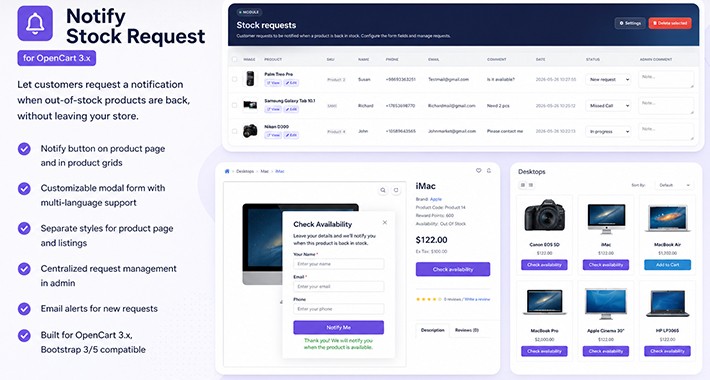
Notify Stock Request — let customers request a notification when out-of-stock products are back, without leaving your store.
Overview
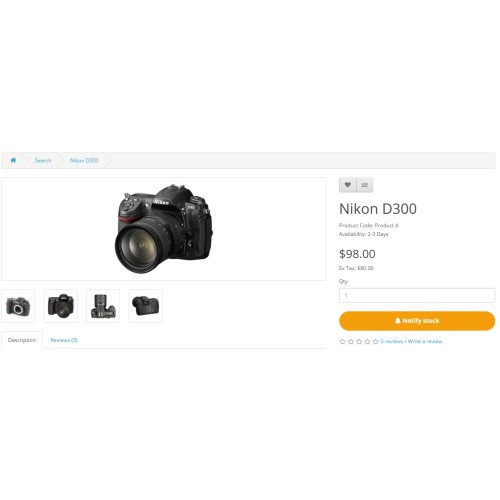
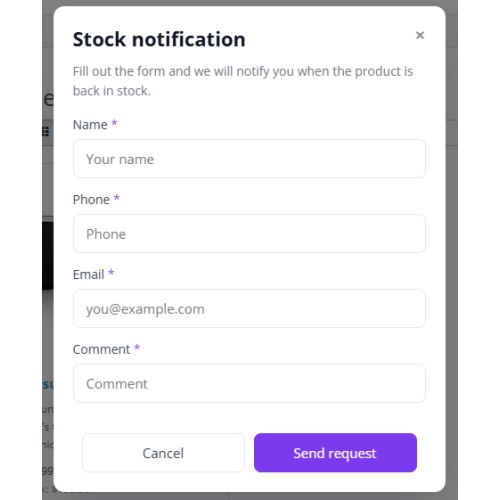
When quantity is zero, the standard Add to Cart button is replaced with a “Check availability” (customizable) action. Shoppers open a popup form, submit their details, and you manage every request from a dedicated admin screen. The module works on the product page and in listings (category, search, specials, manufacturer, featured/latest/bestseller modules).
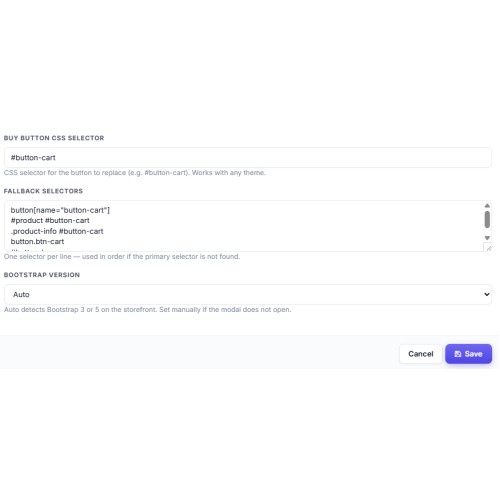
Built for OpenCart 3.x, default themes, and most third-party templates via flexible CSS selectors and Bootstrap 3/5 support (auto-detect or manual).
Storefront
Notify button on product page and in product grids
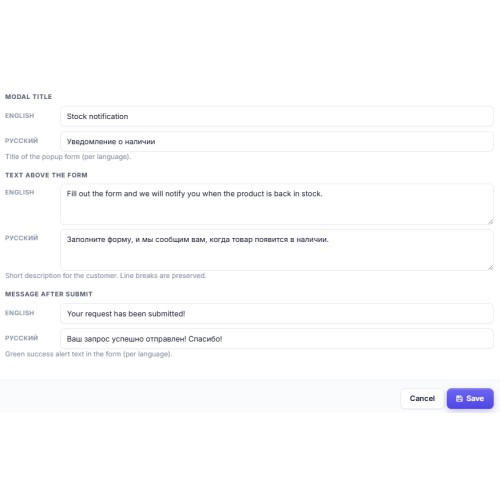
Modal form with per-language title, intro text, and success message
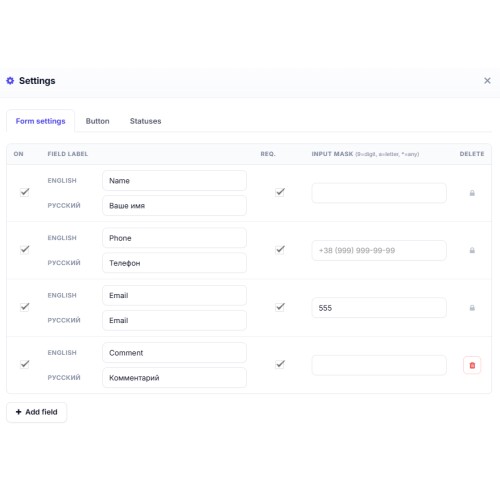
Custom form fields (enable/disable, required, input masks)
System fields: name, phone, email (configurable labels)
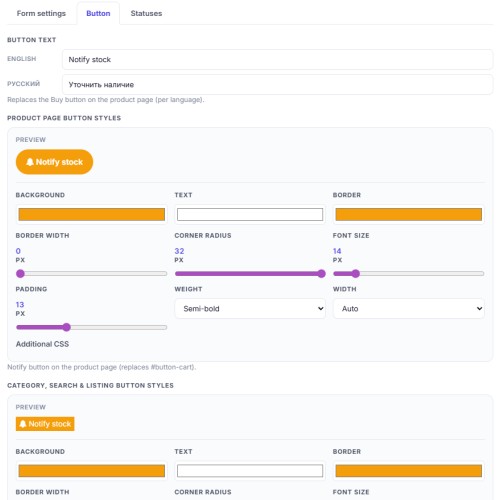
Separate button text and visual styles for product page vs listings (color, border, radius, font, width, extra CSS)
Bootstrap 3 / 5 modal compatibility
Admin
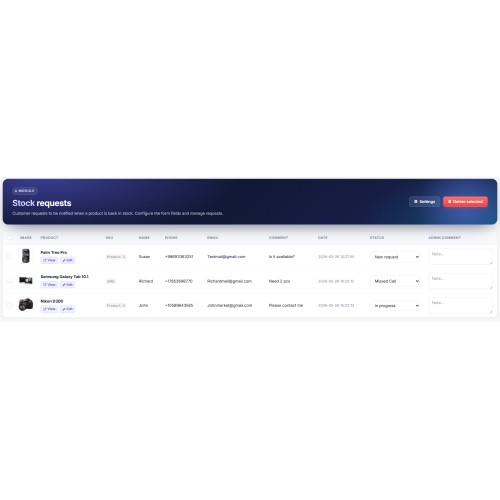
Central list of requests: product, SKU, date, status, admin comment
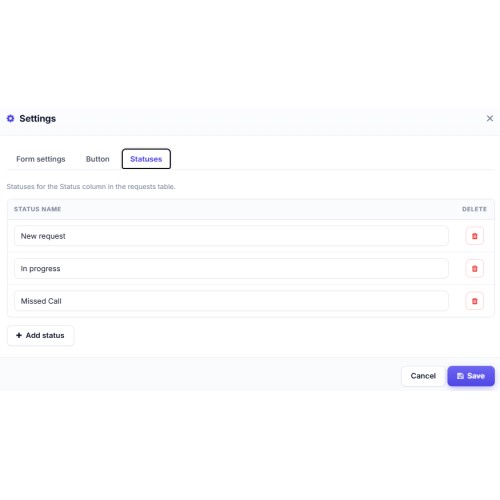
Custom statuses (e.g. New, In progress, Notified)
Link to product on the storefront and in catalog edit
Form builder: fields, labels per language, masks
Email alert to store email on each new request (language follows storefront)
Multilingual
Admin and catalog strings for English, Russian, and Ukrainian. All customer-facing texts (button, modal, success message, field labels) are editable per store language.
Technical
OCMOD installation, no core file edits
Event-based script loading (reliable on category/search pages)
Safe CSS output (!important where needed for theme overrides)
Requirements
OpenCart 3.0.x · PHP 7.0+ · OCMOD enabled · jQuery (included in OC3)
Ideal for: fashion, electronics, B2B catalogs, and any shop where restock dates matter and you want leads instead of lost visits.
Overview
When quantity is zero, the standard Add to Cart button is replaced with a “Check availability” (customizable) action. Shoppers open a popup form, submit their details, and you manage every request from a dedicated admin screen. The module works on the product page and in listings (category, search, specials, manufacturer, featured/latest/bestseller modules).
Built for OpenCart 3.x, default themes, and most third-party templates via flexible CSS selectors and Bootstrap 3/5 support (auto-detect or manual).
Storefront
Notify button on product page and in product grids
Modal form with per-language title, intro text, and success message
Custom form fields (enable/disable, required, input masks)
System fields: name, phone, email (configurable labels)
Separate button text and visual styles for product page vs listings (color, border, radius, font, width, extra CSS)
Bootstrap 3 / 5 modal compatibility
Admin
Central list of requests: product, SKU, date, status, admin comment
Custom statuses (e.g. New, In progress, Notified)
Link to product on the storefront and in catalog edit
Form builder: fields, labels per language, masks
Email alert to store email on each new request (language follows storefront)
Multilingual
Admin and catalog strings for English, Russian, and Ukrainian. All customer-facing texts (button, modal, success message, field labels) are editable per store language.
Technical
OCMOD installation, no core file edits
Event-based script loading (reliable on category/search pages)
Safe CSS output (!important where needed for theme overrides)
Requirements
OpenCart 3.0.x · PHP 7.0+ · OCMOD enabled · jQuery (included in OC3)
Ideal for: fashion, electronics, B2B catalogs, and any shop where restock dates matter and you want leads instead of lost visits.
Price
$20.00
- Developed by OpenCart Community
- 12 Months Free Support
- Documentation Included
Rating
Compatibility
3.0.0.0, 3.0.1.0, 3.0.1.1, 3.0.1.2, 3.0.1.3, 3.0.2.0, 3.0.3.0, 3.0.3.1, 3.0.3.2, 3.0.3.3, 3.0.3.5, 3.0.3.6, 3.0.3.7, 3.0.3.8, 3.x.x.x, 3.0.3.9, 3.0.4.0, 3.0.4.1, 3.0.5.0
Last Update
26 May 2026
Created
26 May 2026
0 Sales
1 Comments

Login and write down your comment.
Login my OpenCart Account