Quantity Fild Hidden
This module gives you full control over the quantity input box (the field where customers type how many items they want to buy) on your product pages. You can choose to hide it in two flexible ways.
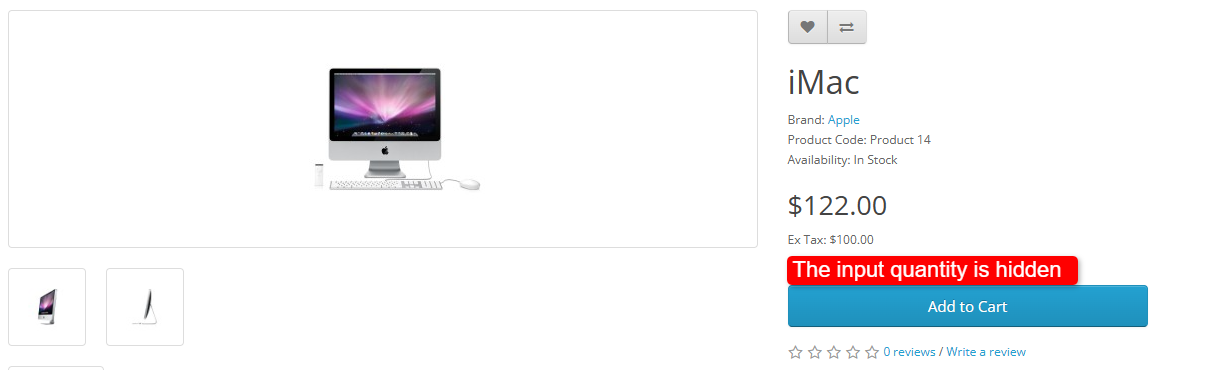
Method 1: Global — Hide on All Products
Enable "Hide All Quantity Inputs" in settings.
✅ On → Quantity box hidden on every product.
❌ Off → Quantity boxes show normally (unless overridden by Method 2).
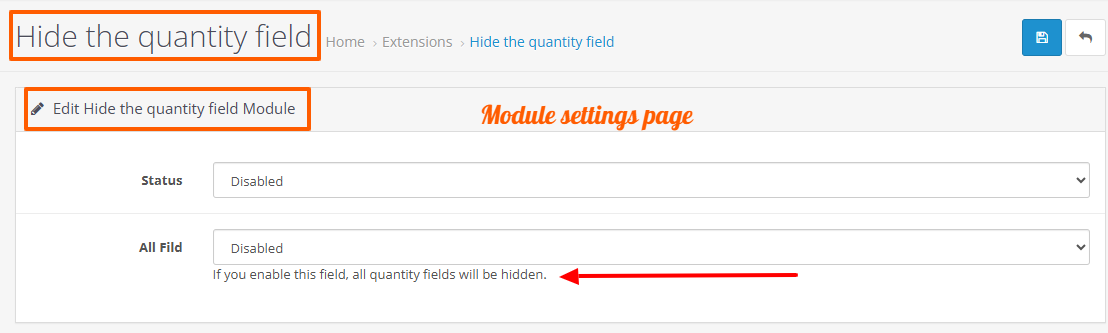
Fastest way for a store-wide change with one click.
Method 2: Per-Product — Hide on Specific Products
Edit a product and check "Quantity Field Hidden".
✅ Checked → Quantity box hidden only for that product.
❌ Unchecked → Follows the global setting (Method 1).
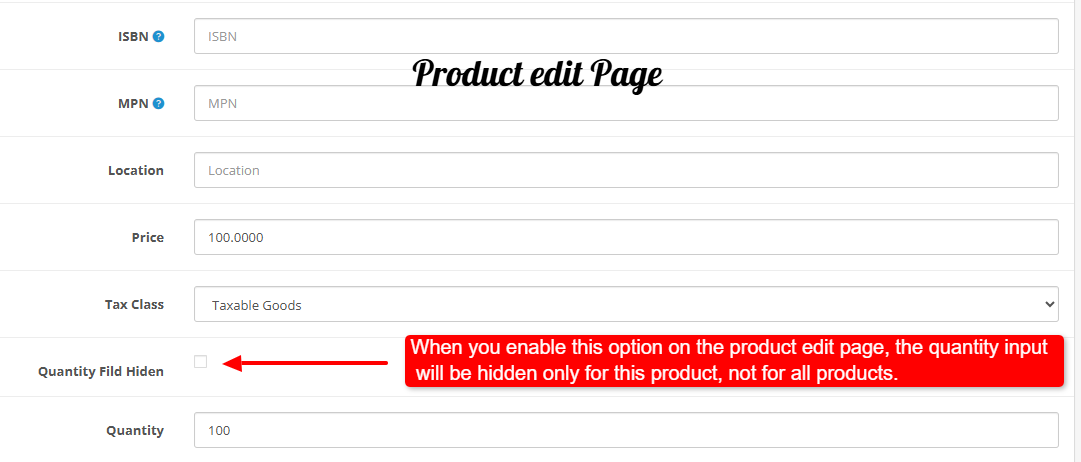
Fine-grained control — hide on some products, show on others.
Install:
First download the Zip file.
Then go to Extensions>Installer and click on the "Upload" button.
Then select the downloaded Zip file and upload it.
Go to Extensions>Extensions and select the "Module" option and activate the new plugin called "Hide the quantity field".
Go to Extensions>Modifications and click on the "Refresh" button to apply the new changes.
Free Install And Support:
cartcraft.oc@gmail.com
Method 1: Global — Hide on All Products
Enable "Hide All Quantity Inputs" in settings.
✅ On → Quantity box hidden on every product.
❌ Off → Quantity boxes show normally (unless overridden by Method 2).
Fastest way for a store-wide change with one click.
Method 2: Per-Product — Hide on Specific Products
Edit a product and check "Quantity Field Hidden".
✅ Checked → Quantity box hidden only for that product.
❌ Unchecked → Follows the global setting (Method 1).
Fine-grained control — hide on some products, show on others.
Install:
First download the Zip file.
Then go to Extensions>Installer and click on the "Upload" button.
Then select the downloaded Zip file and upload it.
Go to Extensions>Extensions and select the "Module" option and activate the new plugin called "Hide the quantity field".
Go to Extensions>Modifications and click on the "Refresh" button to apply the new changes.
Free Install And Support:
cartcraft.oc@gmail.com
Price
$20.00
- Developed by OpenCart Community
- 12 Months Free Support
- Documentation Included
Rating
Compatibility
3.0.0.0, 3.0.1.0, 3.0.1.1, 3.0.1.2, 3.0.1.3, 3.0.2.0, 3.0.3.0, 3.0.3.1, 3.0.3.2, 3.0.3.3, 3.0.3.5, 3.0.3.6, 3.0.3.7, 3.0.3.8, 3.x.x.x, 3.0.3.9, 3.0.4.0, 3.0.4.1, 3.0.5.0
Last Update
30 May 2026
Created
30 May 2026
0 Sales
0 Comments

Login and write down your comment.
Login my OpenCart Account