Account Page Enhancer – Dashboard, Chart & Icons
Account Page Enhancer – Dashboard, Chart & Icons for OpenCart 3.x
Version: 1.0.0
Compatibility: OpenCart 3.0.2.0 – 3.0.3.9 (also 3.1.x)
License: OCL (OpenCart License)
Author: Fabrikator
Overview
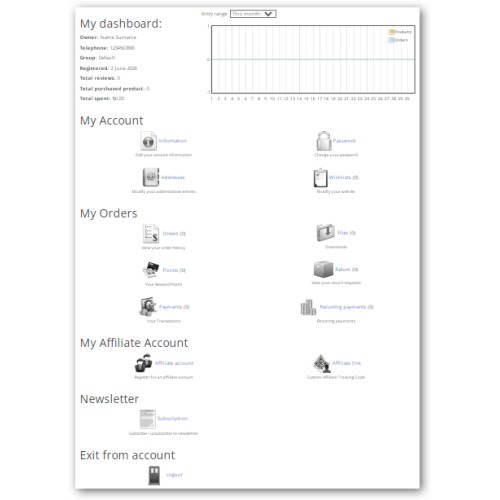
This module completely redesigns the customer account dashboard in OpenCart 3.x. It adds an informative overview block with customer statistics, an interactive sales chart (orders/products over time), and replaces all standard account links with visually appealing icons and descriptive texts. The layout is responsive and works perfectly on desktops, tablets, and mobile devices.
No core file modifications are required – the module uses the standard OCMod (vQmod for OC3) system. All changes are easy to install, uninstall, and upgrade.
Features
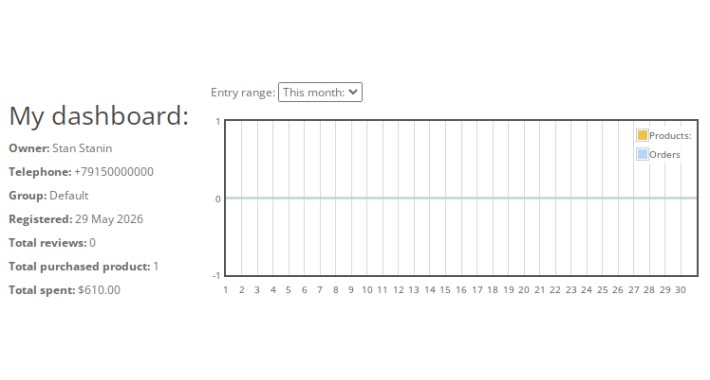
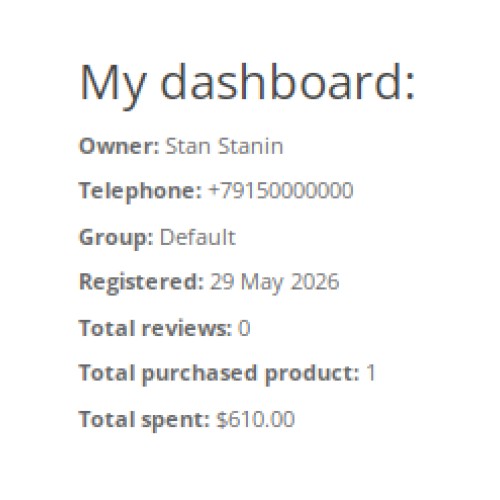
1. Customer Dashboard (at the top of account page)
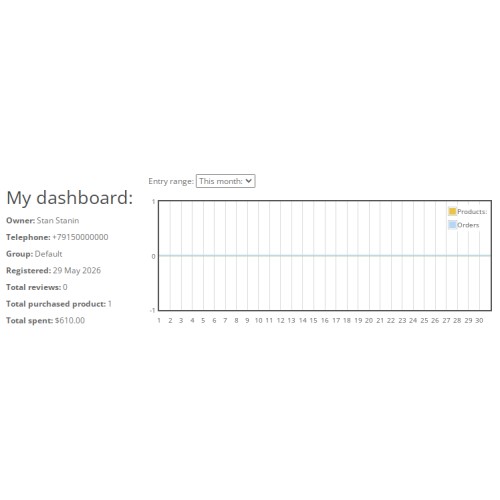
Owner name (first + last)
Telephone number
Customer group
Registration date (with month name, not digit)
Total reviews
Total purchased products (sum of all ordered items)
Total amount spent (formatted in store currency)
2. Interactive Sales Chart
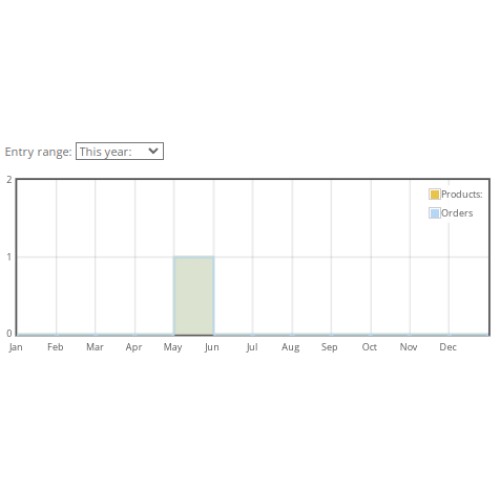
Displays two data series: Products (quantity) and Orders (count)
Choose period: Day, Week, Month, Year
Dynamic AJAX loading – no page refresh
Built with Flot library (already included in OpenCart admin)
Legend is placed inside the chart (Products & Orders)
3. Redesigned Account Links
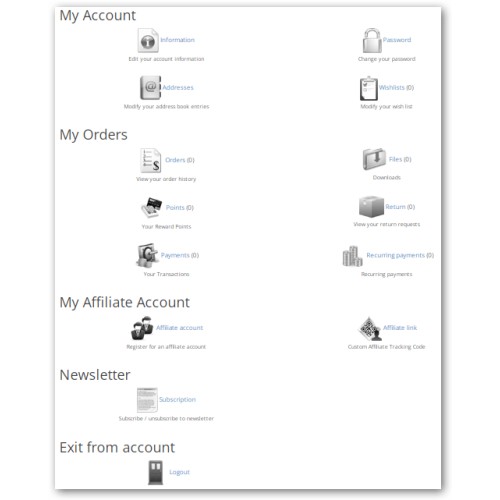
All standard account links are replaced with icon + title + short description. The links are arranged in two columns for better space usage. The following sections are enhanced:
Information
Password
Addresses
Wishlist (shows item count)
Orders (shows order count)
Downloads (shows file count)
Reward Points (shows point balance)
Returns (shows return request count)
Transactions (shows transaction count)
Recurring payments (shows active subscriptions count)
Affiliate account (if enabled)
Newsletter subscription
Logout block at the bottom
4. Responsive Design
The dashboard and chart adapt to screen size
On mobile devices, the two‑column menu collapses into a single column
Icons resize automatically
Installation
Download the module archive (.ocmod.zip).
In your OpenCart admin panel, go to Extensions → Installer.
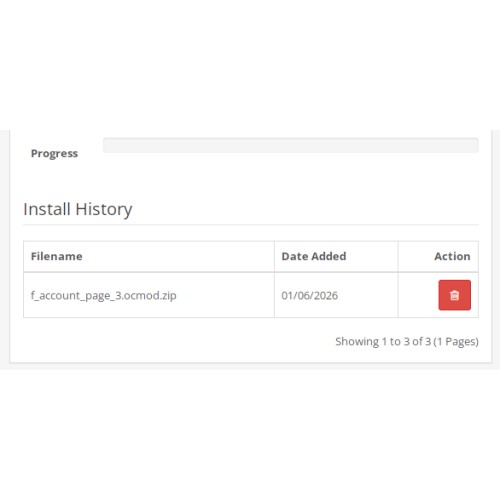
Upload the module zip file.
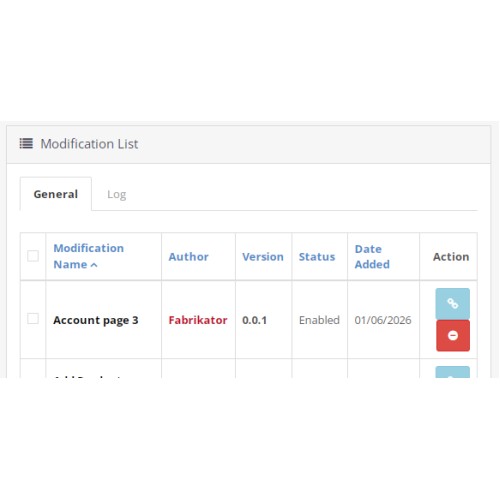
After upload, go to Extensions → Modifications and click the Refresh button (blue refresh icon).
Clear template cache: Go to System → Settings → Server (or Store settings) and click Clear template cache.
Copy icons to your active theme:
Unzip the module package locally.
Copy the folder /image/account_page/ (with all PNG icons) to your current theme’s image directory, for example:
For default theme: catalog/view/theme/default/image/account_page/
For Journal theme: catalog/view/theme/journal/image/account_page/
If you don’t copy icons, the module will still work but without images.
That’s it! Visit My Account page on the storefront to see the changes.
Requirements
OpenCart 3.0.2.0 or higher (3.x branch)
PHP 7.2 – 8.1 (8.2 partially supported)
jQuery (already included in OpenCart)
Flot library – already present in /admin/view/javascript/jquery/flot/ (standard OpenCart)
Uninstallation
Go to Extensions → Modifications.
Find the modification named Account page 3 and click the Disable icon.
Click the Refresh button.
Optionally, delete the modification.
Frequently Asked Questions
Q: Why don’t my icons appear?
A: Make sure you copied the account_page folder with all .png files into your current theme’s image directory. If you use a custom theme (not default), adjust the path accordingly.
Q: The chart shows empty or no data?
A: Ensure that you have completed orders (order status > 0). Also check that the Flot library is accessible at /admin/view/javascript/jquery/flot/jquery.flot.js. If the path is different, edit the script section in the modification.
Q: I see a 500 error after installation.
A: Clear modification cache (refresh modifications) and clear template cache. If the error persists, check the OpenCart error log in /storage/logs/error.log.
Q: Can I translate the module?
A: Yes. Language files for English and Russian are included. You can add your own language by editing the corresponding account.php language file and adding the custom $_ strings listed in the modification.
Q: Does it work with Journal / any other custom theme?
A: Yes, but you may need to adjust the icon path. The module modifies the standard account.twig template. If your theme completely overrides that template, you might need to manually copy the changes. However, most themes inherit the default template, so it should work.
Support
For bug reports, feature requests, or installation help, please contact the author via the OpenCart forum or email: LexX2605@yandex.ru. Provide your OpenCart version, PHP version, theme name, and a description of the issue.
Changelog
v1.0.0 – Initial release
Dashboard with customer stats
Interactive chart (Flot)
Icon‑based menu with two‑column layout
Russian and English language support
Responsive design
License
This module is released under the OpenCart License (OCL). You may use it freely in both personal and commercial projects. Redistribution without modification is allowed, but you must retain the copyright notice.
Enjoy your new enhanced account page!
Version: 1.0.0
Compatibility: OpenCart 3.0.2.0 – 3.0.3.9 (also 3.1.x)
License: OCL (OpenCart License)
Author: Fabrikator
Overview
This module completely redesigns the customer account dashboard in OpenCart 3.x. It adds an informative overview block with customer statistics, an interactive sales chart (orders/products over time), and replaces all standard account links with visually appealing icons and descriptive texts. The layout is responsive and works perfectly on desktops, tablets, and mobile devices.
No core file modifications are required – the module uses the standard OCMod (vQmod for OC3) system. All changes are easy to install, uninstall, and upgrade.
Features
1. Customer Dashboard (at the top of account page)
Owner name (first + last)
Telephone number
Customer group
Registration date (with month name, not digit)
Total reviews
Total purchased products (sum of all ordered items)
Total amount spent (formatted in store currency)
2. Interactive Sales Chart
Displays two data series: Products (quantity) and Orders (count)
Choose period: Day, Week, Month, Year
Dynamic AJAX loading – no page refresh
Built with Flot library (already included in OpenCart admin)
Legend is placed inside the chart (Products & Orders)
3. Redesigned Account Links
All standard account links are replaced with icon + title + short description. The links are arranged in two columns for better space usage. The following sections are enhanced:
Information
Password
Addresses
Wishlist (shows item count)
Orders (shows order count)
Downloads (shows file count)
Reward Points (shows point balance)
Returns (shows return request count)
Transactions (shows transaction count)
Recurring payments (shows active subscriptions count)
Affiliate account (if enabled)
Newsletter subscription
Logout block at the bottom
4. Responsive Design
The dashboard and chart adapt to screen size
On mobile devices, the two‑column menu collapses into a single column
Icons resize automatically
Installation
Download the module archive (.ocmod.zip).
In your OpenCart admin panel, go to Extensions → Installer.
Upload the module zip file.
After upload, go to Extensions → Modifications and click the Refresh button (blue refresh icon).
Clear template cache: Go to System → Settings → Server (or Store settings) and click Clear template cache.
Copy icons to your active theme:
Unzip the module package locally.
Copy the folder /image/account_page/ (with all PNG icons) to your current theme’s image directory, for example:
For default theme: catalog/view/theme/default/image/account_page/
For Journal theme: catalog/view/theme/journal/image/account_page/
If you don’t copy icons, the module will still work but without images.
That’s it! Visit My Account page on the storefront to see the changes.
Requirements
OpenCart 3.0.2.0 or higher (3.x branch)
PHP 7.2 – 8.1 (8.2 partially supported)
jQuery (already included in OpenCart)
Flot library – already present in /admin/view/javascript/jquery/flot/ (standard OpenCart)
Uninstallation
Go to Extensions → Modifications.
Find the modification named Account page 3 and click the Disable icon.
Click the Refresh button.
Optionally, delete the modification.
Frequently Asked Questions
Q: Why don’t my icons appear?
A: Make sure you copied the account_page folder with all .png files into your current theme’s image directory. If you use a custom theme (not default), adjust the path accordingly.
Q: The chart shows empty or no data?
A: Ensure that you have completed orders (order status > 0). Also check that the Flot library is accessible at /admin/view/javascript/jquery/flot/jquery.flot.js. If the path is different, edit the script section in the modification.
Q: I see a 500 error after installation.
A: Clear modification cache (refresh modifications) and clear template cache. If the error persists, check the OpenCart error log in /storage/logs/error.log.
Q: Can I translate the module?
A: Yes. Language files for English and Russian are included. You can add your own language by editing the corresponding account.php language file and adding the custom $_ strings listed in the modification.
Q: Does it work with Journal / any other custom theme?
A: Yes, but you may need to adjust the icon path. The module modifies the standard account.twig template. If your theme completely overrides that template, you might need to manually copy the changes. However, most themes inherit the default template, so it should work.
Support
For bug reports, feature requests, or installation help, please contact the author via the OpenCart forum or email: LexX2605@yandex.ru. Provide your OpenCart version, PHP version, theme name, and a description of the issue.
Changelog
v1.0.0 – Initial release
Dashboard with customer stats
Interactive chart (Flot)
Icon‑based menu with two‑column layout
Russian and English language support
Responsive design
License
This module is released under the OpenCart License (OCL). You may use it freely in both personal and commercial projects. Redistribution without modification is allowed, but you must retain the copyright notice.
Enjoy your new enhanced account page!
Price
$45.00
- Developed by OpenCart Community
- Documentation Included
Rating
Compatibility
3.0.0.0, 3.0.1.0, 3.0.1.1, 3.0.1.2, 3.0.1.3, 3.0.2.0, 3.0.3.0, 3.0.3.1, 3.0.3.2, 3.0.3.3, 3.0.3.5, 3.0.3.6, 3.0.3.7, 3.0.3.8, 3.x.x.x, 3.0.3.9, 3.0.4.0, 3.0.4.1, 3.0.5.0
Last Update
3 Jun 2026
Created
1 Jun 2026
0 Sales
0 Comments

Login and write down your comment.
Login my OpenCart Account