Add image for category in horizontal menu

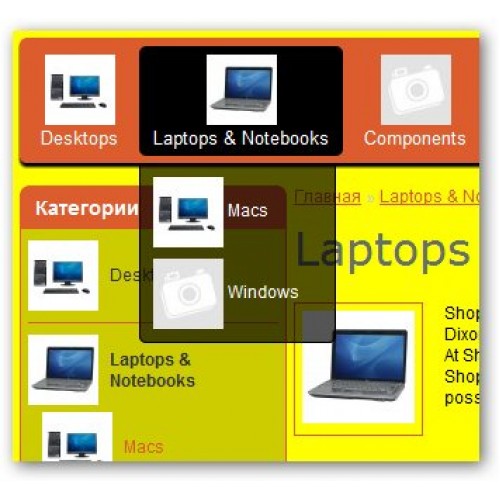



This extension will add a images for category in main horizontal menu.
For work this add-on correctly you should have installed module Vqmod.
-----------------------------------------------------------------------------------------------
Description for OpenCart 3.x
This lightweight OCMOD extension adds category images (or custom placeholders) to all levels of the main menu in OpenCart 3.x (tested on 3.0.5.0).
Unlike the default menu, every top category and subcategory will display an image next to its name. If a category has no image assigned, a configurable placeholder image is shown automatically – keeping your menu visually consistent.
The module works out‑of‑the‑box with any standard theme and requires no core file edits (pure OCMOD). Images are resized on the fly using OpenCart’s native image tool.
Features
✅ Adds images to all menu categories (top‑level and nested)
✅ Uses existing category images from Catalog → Categories
✅ Displays a placeholder (placeholder.png) when no image is set
✅ Works for both simple links and dropdown (mega‑menu) items
✅ Fully responsive – images scale with the menu
✅ No database changes, no extra settings – just install & enjoy
✅ Compatible with OpenCart 3.0.0.0 – 3.0.5.0 and likely newer 3.x versions
What you get
Category images next to main menu links (size: 25x25px by default)
All image dimensions can be easily changed in the XML file – the code is clean and well commented.
Installation
Go to Extensions → Installer in your admin panel.
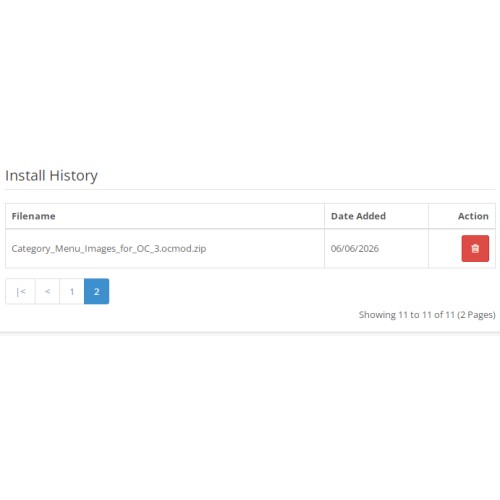
Upload the category_menu_images.ocmod.zip file.
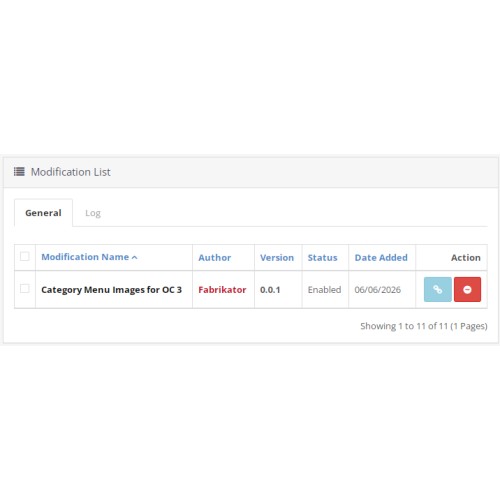
After upload, go to Extensions → Modifications and click the blue Refresh button.
Clear your browser cache and the system cache (System → Maintenance → Refresh if available, or manually delete system/storage/cache/* via FTP).
That’s it – your menu will now show category images.
Note: If you want to use a custom placeholder, simply replace placeholder.png in the /image/ folder, or change the filename in the XML (search for 'placeholder.png').
Customization
To change image sizes, edit these lines in the XML file:
resize(..., 50, 50) → controls the source image size (width & height in pixels)
In the Twig template, adjust width: 25px; height: 25px etc. to match your design.
After making changes, re‑zip the extension, uninstall the old version, and install the new one.
Compatibility
OpenCart 3.0.5.0 (tested)
OpenCart 3.x (should work on all 3.x branches)
PHP 7.x / 8.x
Default journal, default theme, and most third‑party themes that use standard menu structure
Support
If you experience issues, check the modification status in Extensions → Modifications (green = active). Make sure category images exist or a placeholder is present. For bugs, feel free to comment on the extension page.
For work this add-on correctly you should have installed module Vqmod.
-----------------------------------------------------------------------------------------------
Description for OpenCart 3.x
This lightweight OCMOD extension adds category images (or custom placeholders) to all levels of the main menu in OpenCart 3.x (tested on 3.0.5.0).
Unlike the default menu, every top category and subcategory will display an image next to its name. If a category has no image assigned, a configurable placeholder image is shown automatically – keeping your menu visually consistent.
The module works out‑of‑the‑box with any standard theme and requires no core file edits (pure OCMOD). Images are resized on the fly using OpenCart’s native image tool.
Features
✅ Adds images to all menu categories (top‑level and nested)
✅ Uses existing category images from Catalog → Categories
✅ Displays a placeholder (placeholder.png) when no image is set
✅ Works for both simple links and dropdown (mega‑menu) items
✅ Fully responsive – images scale with the menu
✅ No database changes, no extra settings – just install & enjoy
✅ Compatible with OpenCart 3.0.0.0 – 3.0.5.0 and likely newer 3.x versions
What you get
Category images next to main menu links (size: 25x25px by default)
All image dimensions can be easily changed in the XML file – the code is clean and well commented.
Installation
Go to Extensions → Installer in your admin panel.
Upload the category_menu_images.ocmod.zip file.
After upload, go to Extensions → Modifications and click the blue Refresh button.
Clear your browser cache and the system cache (System → Maintenance → Refresh if available, or manually delete system/storage/cache/* via FTP).
That’s it – your menu will now show category images.
Note: If you want to use a custom placeholder, simply replace placeholder.png in the /image/ folder, or change the filename in the XML (search for 'placeholder.png').
Customization
To change image sizes, edit these lines in the XML file:
resize(..., 50, 50) → controls the source image size (width & height in pixels)
In the Twig template, adjust width: 25px; height: 25px etc. to match your design.
After making changes, re‑zip the extension, uninstall the old version, and install the new one.
Compatibility
OpenCart 3.0.5.0 (tested)
OpenCart 3.x (should work on all 3.x branches)
PHP 7.x / 8.x
Default journal, default theme, and most third‑party themes that use standard menu structure
Support
If you experience issues, check the modification status in Extensions → Modifications (green = active). Make sure category images exist or a placeholder is present. For bugs, feel free to comment on the extension page.
Price
$20.00
- Developed by OpenCart Community
- Documentation Included
Rating
Compatibility
3.0.0.0, 3.0.1.0, 3.0.1.1, 3.0.1.2, 3.0.1.3, 3.0.2.0, 3.0.3.0, 3.0.3.1, 3.0.3.2, 3.0.3.3, 3.0.3.5, 3.0.3.6, 3.0.3.7, 3.0.3.8, 3.x.x.x, 3.0.3.9, 3.0.4.0, 3.0.4.1, 3.0.5.0, 1.5.2, 1.5.2.1, 1.5.3, 1.5.3.1, 1.5.4, 1.5.4.1
Last Update
6 Jun 2026
Created
22 Nov 2012
0 Sales
4 Comments

Login and write down your comment.
Login my OpenCart Account