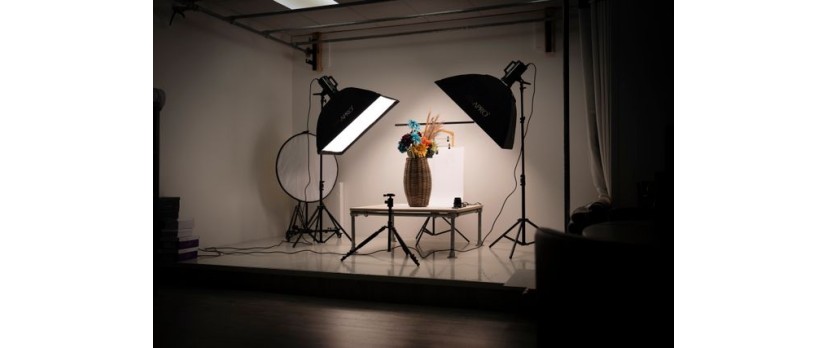
You spend real money on a product shoot. A proper one, with decent lighting and a photographer who doesn’t cancel at the last minute. You get 60 or 80 photos back. You squint at them, pick the three that look the least offensive, upload them to your product page, and call it done.
The other 57 photos sit in a Google Drive folder named something like “Shoot_Final_v2_ACTUAL_FINAL” until you quietly delete them six months later because they’re hogging storage.
Here’s the thing most online store owners get wrong. A product shoot is not a one-time deliverable for your product page. It is a content bank. One good shoot, with a little planning before the photographer arrives, can produce enough raw material to run your entire marketing calendar for weeks. Your product page, your ads, your emails, your social, your Reels all of it, from the same session.
The waste is not in the shoot. The waste is in treating everything after the product page upload as optional.
So, here are 7 marketing assets you can pull from a single product shoot, and what you need to set up to actually make it work.
Start with the right raw material
Before the 7 assets, a quick word on what you really need from the shoot itself.
You have to have some of your frames. This means a clean hero shot (product-focused, plain background), at least two or three detail shots (texture, label, stitching, whatever your product has worth showing), a lifestyle shot (product in context, in use, with a person or a setting), and a few loose frames where the product is off-center or slightly cropped. Those “imperfect” frames are the ones that work best for ads & stories.
If you only shoot the standard three-angle set, you'll run out of usable content before you finish this article.
1. Product page images
This one is obvious, but it’s worth getting right because it anchors everything else.
Your product page needs more than the hero shot. Shoppers who are serious about buying want the detail shots too, such as the close-up on the fabric grain, the seam, the back of the label, whatever it is that would make someone pick it up in a store. Research on mobile shopping cart conversion consistently shows that image quality and image count both affect purchase confidence.
Use the hero shot as the primary thumbnail. Use the detail shots as secondary images. Use the lifestyle shot last, as the “imagine this in your life” frame.
That’s a 5 to 8 image gallery from one shoot. Done.
2. Instagram grid and Facebook posts
Every clean hero shot you didn’t use for the product page is a social post. Every lifestyle shot is a social post.
For Instagram, square and portrait crops (4:5) tend to get more feed real estate than landscape shots, so if you have wide frames from the shoot, crop them taller. For Facebook, the 1.91:1 landscape frame works well for link previews.
Most shoot deliverables include at least 10 to 15 hero and lifestyle frames. That’s two weeks of social content, minimum, if you post once a day. You do not need to shoot every week if you shoot smart once a month.
One thing worth doing: plan your social grid in advance. If your OpenCart store has a color story or a seasonal palette, brief your photographer on it before the shoot. Shooting into a color scheme gives you cohesive grid content without post-production gymnastics.
3. Short-form video for Reels, Shorts, and TikTok
This is the one most stores leave completely on the table.
Short-form video is currently the most effective format for product discovery across every major platform. Instagram Reels, YouTube Shorts, TikTok, and even Pinterest video reward product content that moves, but not everyone has the budget to book a videographer alongside a photographer.
Here is what you can do instead: use your still product photos to generate short video content. AI tools that convert static images into video clips have become genuinely good. Vidmage.ai, for instance, has a feature that animates product images, adds motion, and outputs short clips suitable for social formats without a shoot day video. If you have a clean hero shot and a lifestyle image, you can have a Reel-ready clip inside an hour.
It is not a replacement for a well-shot product video. But it is a legitimate way to stay present on video platforms without a separate shoot budget every month.
4. Email marketing banners and headers
Email marketing for ecommerce lives and dies on the first scroll. The header image is what most subscribers see before they decide whether to read or archive.
Your product shoot gives you everything you need for a strong email header: a clean product image on a plain background for new arrival announcements, a lifestyle shot for campaign mailers (holiday, seasonal, gifting), and a detail shot for feature-focused sends (“Here’s what makes our leather different”).
Most email platforms, such as Mailchimp, Klaviyo, and Omnisend, let you build templates with swappable header images. Set up the template once. Swap the image per campaign. Every send looks considered without taking you three hours.
One crop consideration is that email headers are typically wide and short (roughly 600px wide by 200px tall). Your photographer won’t always frame for that ratio, so pull a wide crop from the lifestyle or contextual shots rather than trying to stretch a portrait frame.
5. Pinterest product pins and shoppable images
Pinterest is genuinely underused by most small ecommerce stores, which is exactly why it still works.
The platform’s user base actively searches for products to buy, not just ideas to collect. A well-titled product pin linked directly to your OpenCart product page can drive purchase-intent traffic for months without any paid spend behind it.
Vertical format (2:3 ratio) performs best on Pinterest. Take your portrait-cropped product shots and lifestyle images, add a brief text overlay (product name, key detail, price if you want), and pin them with a descriptive caption full of the words your actual buyers would search. “Handmade leather card wallet, dark tan” beats “Premium wallet” every time.
If you have 10 products and 5 images per product, that’s 50 pins from existing shoot content. A modest Pinterest presence built from product shoots, linked back to your store, is one of the steadier sources of organic traffic you can build without ongoing content production costs.
6. Paid ad creatives for Meta and Google Shopping
Product ads on Meta (Facebook and Instagram) and Google Shopping both need visual assets that stop a scroll or catch a search click.
For Google Shopping, your product images need a clean background (plain white or light grey is standard), which your hero shot already provides. For Meta feed ads, the lifestyle shot is the one that performs. For Meta Stories and Reels ads, you need vertical crops.
This is worth planning at the shoot. If you know you’re running Meta ads, ask your photographer for at least two frames with intentional negative space on one side or left or top, so you have room to overlay text or a call-to-action in your ad without covering the product. It takes 30 seconds to brief; it saves hours of retrofitting awkward crops in Canva later.
Knowing how to drive ecommerce sales through paid channels starts with having the right creative assets ready before you open Ads Manager.
7. Story-format and vertical content (Instagram, WhatsApp, Snapchat)
Story formats are the scrappiest creative surface on social media, which means they don’t require your polished hero shots. They actually perform better when they feel less staged.
Use your loose, off-center frames here. The slightly imperfect shot where the product is at the edge of the frame. The detail shot with nothing else in it. Pair with a direct question (“Which color would you pick?”) or a simple announcement (“Back in stock”). Add a product link sticker on Instagram.
For WhatsApp Business broadcasts, a vertical product image with a two-line caption is enough to drive clicks to your store. It’s not glamorous. It works anyway.
The rule is: your cleanest frames go to the product page and ads. Your loser frames go to stories and conversational channels. Nothing gets deleted; everything gets a context.
The brief is the unlock
None of this works retroactively if your photographer shoots a standard three-angle product set and leaves.
The unlock is the pre-shoot brief. Before any session, list the 7 assets above and work backward. Which shots do you need for each format? Write it down, share it with your photographer, and you will come home from every shoot with a content bank rather than a product page refresh.
One shoot. Seven asset types. Weeks of content.
AI for ecommerce is changing how stores produce content at speed, but the raw material still needs to exist somewhere. Shoot it once, plan it properly, and your marketing calendar stops being a monthly scramble.



Login and write down your comment.
Login my OpenCart Account