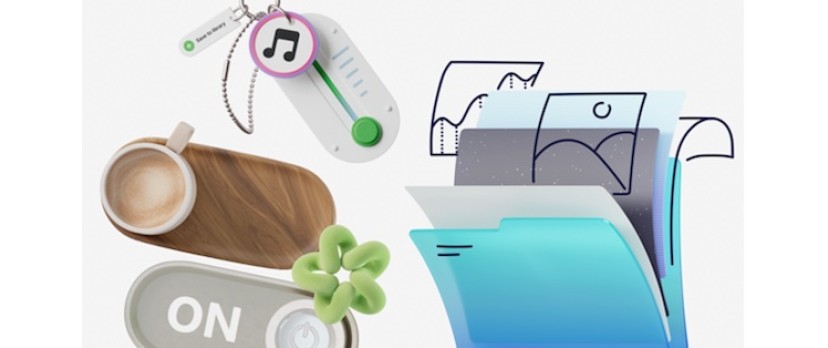
Freelance web designers serving small businesses constantly wrestle with client expectations versus financial reality. Local bakeries or independent tech consultancies crave bespoke, professionally branded websites. Every client wants custom artwork guiding users through checkout flows and adding distinct personality to landing pages. Budgets tell another story entirely. Paying a dedicated artist for a single portfolio site or small e-commerce launch rarely works out. You end up having hard conversations about scope and reality.
Tight margins push us toward off-the-shelf asset libraries. Can pre-made graphics actually support a coherent brand system? Do aggressive budgets mandate a generic aesthetic? Over the past few weeks, I tested Ouch by Icons8 across multiple freelance web projects. My goal was simple. Find out if a pre-made vector library can replace the custom illustration pipeline without breaking a brand's visual identity.
A Thursday Morning Content Squeeze
Reality hit hard last Thursday at my shared workspace. Four days before a critical hard launch, a fitness portal client sent an urgent email. Reviewing the staging site revealed a user dashboard resembling a barren spreadsheet. We urgently needed visual breaks for long text articles. Missing an engaging waiting screen for class bookings and a friendly error message for failed payments added to the panic.
Commissioning an artist to sketch, digitize, and refine matching assets over a weekend simply isn't happening. Securing a library capable of covering an entire user experience flow with absolute visual consistency became my only option. Nobody wants a random assortment of downloaded files. Opening Ouch, I attempted building a cohesive dashboard identity purely from pre-packaged assets. Browsing through endless pages of graphics usually feels overwhelming, especially when designing interfaces for modern ecommerce platforms where consistency is key.
Designing a Complete E-Commerce Flow
Building a consistent user journey demands more than finding one attractive hero image. Every single touchpoint must feel like the same hand drew it. My first scenario involved an independent coffee roaster transitioning wholesale orders to a new web platform. Their checklist included illustrations for the homepage, login screen, empty shopping cart, and a 404 error page. Coffee culture relies heavily on aesthetics, so generic vector art wouldn't cut it.
The Ouch library packs over 101 illustration styles, spanning minimal monochrome lines to surrealism and bold graphics. Filtering the database revealed a sketchy look perfectly matching the roaster's organic brand. Because the platform prioritizes continuous UX coverage, finding dedicated artwork for exact onboarding and empty state screens proved incredibly fast.
Flat, unchangeable scenes ruin customization. Taking advantage of layered vector graphics solves that problem completely. These assets break down into tagged, searchable objects. Importing raw files into the Mega Creator free online editor let me swap generic coffee cups for specialized brewing equipment from the same style family. Dropping in a Chemex or a French press instantly elevated the design.
Recoloring illustrations and rearranging layouts inside the editor yielded a complete set of application screens. That strict visual continuity held together from the landing page straight through to checkout confirmation.
Integrating 3D and Motion on a Startup Homepage
My second scenario tested applications within the technology sector. Boutique data analytics firms often want highly modern, animated hero sections for new marketing sites. One specific client requested a 3D aesthetic to stand out from flat corporate vector art.
With 44 distinct 3D styles and over 23,000 technology illustrations, options felt plentiful. Bypassing the web interface entirely, I opened the Pichon desktop app. Pichon holds all platform illustrations, icons, and transparent PNG photos. Dragging a 3D server cluster model directly onto my Figma canvas made mocking up the hero section layout instantaneous. Seeing transparent PNGs snap into auto-layout frames feels like a superpower when deadlines loom.
Motion requirements mean static images fall short. Multiple animation formats exist here, including GIF, MOV for 3D, and After Effects projects for deep editing. Downloading a Lottie JSON file for a specific data visualization animation solved my immediate need. Dropping that file into my web build delivered a lightweight, high-resolution animated hero section.
My client genuinely believed rendering that scene took weeks.
Evaluating the Pre-Made Asset Landscape
Choosing the right asset source defines your visual identity. Relying on basic clip art usually creates a disjointed, cheap user interface. Several modern alternatives exist today. Each brings distinct advantages and drawbacks.
● unDraw: Speed and instant global color changes make unDraw incredibly popular. Saturation remains the main limitation. Such widespread use across startup landing pages immediately signals a template-based design to users.
● Freepik: Huge volume makes this massive marketplace attractive. Consistency presents a massive hurdle. Finding "login" and "payment failed" graphics drawn in the exact same style by identical contributors feels like a frustrating, time-consuming process.
● Ouch: Categorizing assets into strict style families created by professionals specifically for UI/UX solves consistency problems. Product flow coverage feels thorough. You won't find the sheer endless volume of a crowdsourced marketplace, though.
● Custom Illustration: Commissioning an artist remains the absolute gold standard for unique brand identities. Time and expense make this approach difficult. Bootstrapped small businesses simply can't afford it.
Identifying the Boundaries of Stock Assets
Pre-made libraries fall short on certain visual problems. Common business categories, web elements, nature, and standard technology concepts work beautifully here. Hyper-specific, highly technical niches break the system.
Designing an interface for a specialized surgical robotics company requires custom work. Accurate representations of exact medical equipment won't appear in standard healthcare categories.
Pricing structures present strict boundaries for budget-conscious freelancers. Generous volume highlights the free tier, but application restrictions hurt. Unpaid users face PNG format limits and mandatory attribution links back to Icons8. Placing attribution links on a pristine landing page or deep within an app screen rarely flies in professional work.
Deep recoloring, high-resolution large PNGs, and removing attribution mandates require a paid Pro plan. Unused downloads roll over nicely to the next billing period. Ongoing subscription costs still bite. Freelance designers must factor those fees into operating expenses.
Strategies for Integrating Asset Libraries
Executing a coherent brand system with off-the-shelf illustrations requires absolute discipline. You are the gatekeeper of the brand's visual identity.
● Enforce strict style limits: Pick exactly one illustration style and refuse to deviate from it. Mixing 3D objects with sketchy line drawings destroys the illusion of a custom brand system instantly.
● Max out desktop tools: Open the Pichon app to pull assets directly into your design software. Dragging transparent PNGs straight onto the canvas speeds up wireframing drastically.
● Customize every vector: Never settle for default scenes. Download SVG formats or open the Mega Creator tool to delete unwanted elements and swap characters. Adjusting hex codes to match exact brand guidelines makes everything cohesive. Clients notice when your illustrations use their exact primary brand colors instead of default palettes.
● Explore advanced formats: Grab Rive files or After Effects projects for interactive elements. Manipulating an existing professional animation file beats keyframing a bespoke sequence from scratch. It saves hours of production time. Your client gets a premium interactive experience, and you protect your profit margins.



Login and write down your comment.
Login my OpenCart Account