Running an online store today means dealing with customers who expect fast pages, secure checkouts and reliable performance at all times. If your website slows down or has security weaknesses you will lose sales, trust, and returning customers.
That is why many growing eCommerce sites choose dedicated servers.
In this article we explain what dedicated servers are, why they matter for eCommerce and the best practices to keep your site fast, secure and PCI friendly.
What is a Dedicated Server?
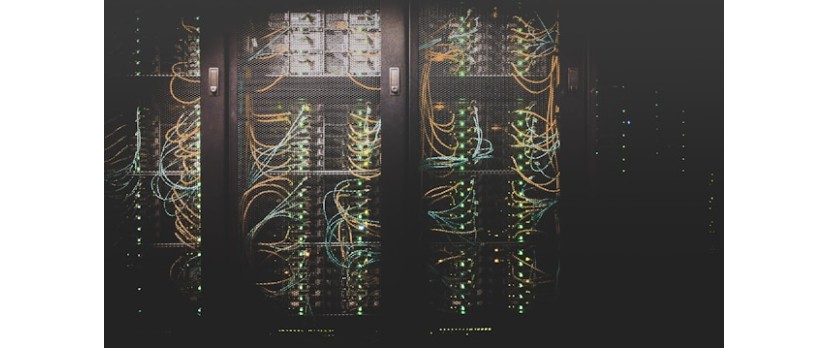
A dedicated server is a real computer in a data center that is only used for your website or apps.
Unlike shared hosting or some cloud servers, you don't share it with other businesses. You have complete control over the operating system, software environment, and hardware resources when you use dedicated servers.
For eCommerce, that means that your store runs on its own computer with guaranteed CPU processing power, RAM, and disk space. Your performance stays steady even when traffic spikes. You set up your own security settings when you need them.
This makes dedicated servers a safe place for serious online stores to do business.
Follow the PCI Rules
If you take credit cards online, you have to follow the PCI Data Security Standards. Encryption, access controls, monitoring logs, and more are all part of PCI compliance.
You still need to keep your server safe to protect customer information, even if you use a third-party payment processor.
If you work with reliable hosting companies that know what PCI needs, you can cut down on your work. Reviews of Atlantic.Net show how well their hosting works with PCI-compliant setups.
When looking for hosts, make sure they have documentation that explains how they help you stay compliant.
Dedicated Servers: Managed vs. Unmanaged
When you have a dedicated server, you usually have a choice:
With an unmanaged server, you get access to hardware and the network, but you have to set it up, keep it up to date, and do regular maintenance. This is less expensive, but it requires technical know-how.
A managed server means that the host takes care of things like setting up the server, applying patches, monitoring it, and sometimes even making it more secure. This costs more, but it lets your team focus on sales and marketing instead of managing the system.
A managed dedicated server from BodHost is the right choice for many eCommerce businesses. You get security and performance without having to worry about system administration.
Why Dedicated Servers Are Important for eCommerce
Let's look at what eCommerce sites need to understand why a dedicated server is important.

Source: Unsplash
1. Speed and performance
On the Internet, every millisecond matters. Studies show that slow pages lower conversion rates because customers leave a site if it takes too long to load.
If you use shared hosting, your site's performance depends on other sites on the same server. Your store slows down if one site uses too much CPU or bandwidth.
With a dedicated server, you are the only one who can use the resources. In other words,
Pages load faster
More consistent performance during sales events
Better at handling traffic spikes from marketing campaigns
2. Scalability
Your hosting needs will grow as your business does.
You can scale your business in ways that shared hosting can't with a dedicated server. Adding more memory or bandwidth or upgrading to faster storage drives is easy and won't bother other users.
3. Control and Personalization
You can choose the software setup you need for your store on a dedicated server. You can improve the performance of your web server's caching setup, install performance monitoring tools, and make security settings stricter without the limits that hosting companies often put on shared or virtual servers.
For instance, you could pick a certain version of a database, tweak PHP settings, or set up custom firewalls that are perfect for your eCommerce site.
4. Safety
Ecommerce sites deal with private customer information, such as names, addresses, and payment details. If you use shared hosting, problems with other websites on the same server can affect your store, even if it is well protected.
A dedicated server keeps these threats away from your website. You can also fully control how the security is set up. You can use custom firewall rules and stricter access controls to set up intrusion detection systems.
Best Practices for Performance on Dedicated Servers for eCommerce
It's important to not only get a dedicated server, but also to set it up correctly. Every eCommerce business should follow these best practices for performance:
Pick the Right Hardware
The performance of a dedicated server depends on the hardware it runs on. Look for machines that have:
Processing cores that are powerful enough to handle your normal and peak traffic
Fast solid state drives (SSDs) let you get to your data quickly.
A lot of memory to store data that is often accessed
Use Caching Wisely
Caching keeps content that people use a lot in memory so that it loads faster for them. You can use tools like Varnish or Redis to cache pages or database queries. You can set up caching at different levels on a dedicated server:
Level of the server with tools like Varnish
Application level with caching built into the platform
Browser level with headers that tell the browser how long to keep the content
Proper caching can greatly lower the load on your server and speed up the delivery of pages.
Optimize the Database
A database is a big part of most eCommerce platforms. Your database can slow down your business as orders and products grow. Regular tasks like indexing and cleaning up old records help keep queries quick.
You can also use caching systems to handle some of the database's read operations so that the database server doesn't get too busy during peak times.
Watch and Adjust Over Time
You don't just set up performance tuning once. Use server monitoring tools to find out when the CPU, memory, or disk space is getting close to its limits.
You can make specific improvements to your setup before customers notice a slowdown if you know which parts are under stress.

Source: Unsplash
Best Practices for Keeping eCommerce Dedicated Servers Safe
Dedicated servers give you power and freedom, but you are also in charge of security. Here are some best practices that will help keep your store and customer data safe.
Update Your System Software
Hackers take advantage of security holes in old software. One of the easiest and most effective ways to protect your computer is to keep your operating system, server software, and applications up to date.
If you can, set up automatic updates and patch quickly when important fixes come out.
Make Server Access More Secure
Use strong passwords and turn off the ability to log in as root with a password. Use SSH keys to log in safely instead.
You can also change the SSH port numbers or install tools that stop people from trying to log in too many times. These easy steps make brute force attacks less likely.
Set up a firewall for web applications
A Web Application Firewall (WAF) looks at incoming traffic and stops known attack patterns. For eCommerce, this can help keep common threats like SQL injection, cross-site scripting, and others from getting to your application.
Use SSL/TLS Certs
SSL/TLS encrypts data that goes between your customer's browser and your server. This makes it hard for hackers to get credit card numbers and passwords.
Backups on a regular basis
Backups protect your data. You can restore from recent backups if your server is hacked or you lose data because of a hardware failure. Backups should be kept in a different place than the server so that problems with the server don't affect them.
Why the Location of Your eCommerce Hosting Matters
You might see hosting called "dedicated server USA" or "American Dedicated Server Hosting." That just means that the server is in the United States. This is important for a few reasons.
1. Quick service for local customers
If most of your customers are in the US, having servers there will make things faster. That means your visitors will see pages that load faster.
2. Jurisdiction of the Law and Data
For legal or compliance reasons, some businesses want their server to be in a certain country. If your business is based in the US, keeping data on a dedicated server USA can make it easier to meet data retention or privacy requirements.
3. Help and Infrastructure
American-dedicated server hosting companies often have strong local support teams and good connections. This could mean that problems are fixed more quickly and that the system stays up longer.
If your audience is worldwide and evenly spread out across continents, you might also want to think about using content delivery networks (CDN) to store your content closer to users in other countries.
A USA dedicated server and a global CDN work together to give you a great mix of speed, reliability, and performance around the world.
Picking the Best Dedicated Server Provider
Many hosting companies offer dedicated servers for sale. When you pick one, think about how reliable it is, how good the support is, and how well it meets your eCommerce needs.
Here are some questions you can ask:
What guarantee do they give for uptime?
Do they have help available 24 hours a day, seven days a week, and do they respond quickly?
Can they help you follow PCI rules?
Is it easy to ask for hardware upgrades?
If you need help managing your server, do they offer managed services?
Also, make sure the provider can give you the hardware and network space you need. If your store has big sales events, traffic could go up a lot. You need a host that can handle that without going down.



Login and write down your comment.
Login my OpenCart Account