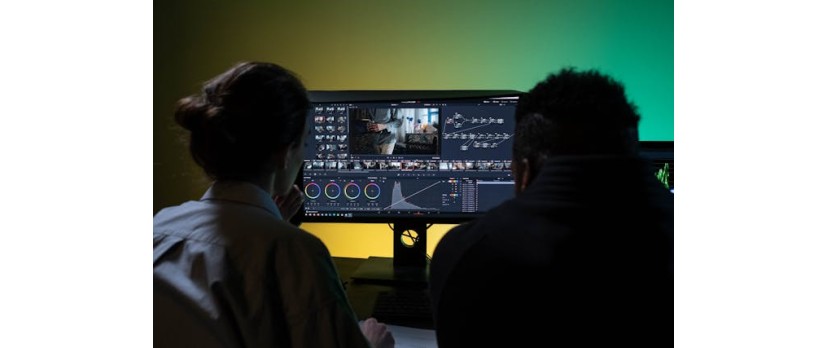
After an enjoyable shoot, you probably feel like you've really achieved something, but then reality hits. Far from the top of your agenda, five or six hours of editing are still your biggest hurdle to a finished video after the raw footage stage. Whether it is color correction, audio fixes, adding manual captions, removing mistakes or watermarks, switching tools for graphics or B-roll, it's a never-ending, boring cycle that you, as a creator, are very familiar with.
This is where Vmake.ai changes the game. This article demonstrates how Vmake.ai's video enhancer, watermark remover, caption generator, and AI video generator allow artists to create polished, publisher-ready videos from raw clips with ease, in minutes, not hours. Let's explore!
Deep Dive: The Four Time-Saving Power Features of Vmake.ai
AI Video Enhancer: Instant Professional Quality
Raw footage from a camera usually looks good, but when viewed on a bigger screen, it can lose its charm due to blur, noise, flicker, or low resolution. Vmake.ai's AI Video Enhancer is a tool that restores the original look with just one click. Instead of spending time adjusting resolution, sharpness, stabilization, and color through various tools, Vmake video quality enhancer will do the job of upscaling low-quality clips (including old or AI-generated ones) into clean, smooth, high-definition videos, up to 4K at 30FPS, automatically and without requiring your intervention. The outcome seems truly professional, and it lacks the "excessively processed" appearance that is common among many enhancers.
Key features
Instantly upgrade videos with one click from low-resolution to 2K, 4K, or AI 4K+
Automatic noise and artifact removal to get rid of compressed, blocky noise and other visual defects
Flicker and stability correction for fluid, movie-like playback
Portrait mode to rescue faces that are blurry or have distortions, while still maintaining the natural skin texture
General and e-commerce modes are fine-tuned to the needs of creators, products, games, anime, and education
Browser-based and device-friendly, no need to download, set up, or learn anything complicated

AI Video Watermark Remover: Clean Up in Seconds
Watermarks can undermine even the most spectacular footage, making it look unusable straight away. This is especially true when mixing clips from different platforms or old projects. Vmake.ai's AI Video Watermark Remover frees you from this trouble by instantly detecting and removing logos, texts, timestamps, subtitles, and even objects from videos with just a couple of clicks.
Key features
One-click AI watermark removal with the detection accuracy of up to 98.7%
Remove video watermark, logos, text, stickers, dates, subtitles, people, and objects
Supports batch processing for cleaning multiple videos simultaneously
Compatible with social platform watermarks from TikTok, Instagram, YouTube, Sora, and more
Very easy to use, no tutorial needed, just drag, drop, and go
Supports numerous formats (MP4, MOV, AVI, M4V, 3GP) making it extremely convenient for cross-platform usage

AI Caption & Subtitle Generator: Automate Accessibility & Engagement
It could take longer to manually type, sync, and format captions than to edit the video. Vmake.ai's AI Caption & Subtitle Generator can help you avoid that slow spot as it automatically transcribes your video up to 99.9% accurately, with the transcript perfectly synced to the audio. Literally in a matter of seconds, you obtain clear, easy-to-read captions that increase watch time, enhance accessibility, and help your content get higher engagement, all without any manual work.
Key features
Instant AI-generated captions with extremely accurate timing and syncing
Personalize your subtitle styles (font, color, size) to fit your brand
Multi-language (100+ languages) feature to cater to a worldwide audience
View, modify, and save your captions first before final download
Versatile exports: subtitles can be hardcoded or downloaded as files
Online, no-install workflow perfect for quick delivery content

AI Video Generator: Create New Content from Nothing
Do you instantly require new content or maybe you don't possess footage? In that case, Vmake.ai's AI Video Generator will be a great creative shortcut for you. Instead of planning, shooting, and editing all the stuff from the beginning, you can make awesome short videos just from the text prompts, pictures, or even your existing footage.
Key features
Multiple creation modes: text-to-video, image-to-video, and video-to-video
Built-in AI models (Seedance, KLING, MiracleVision, VIDU, and more) for varied results
Flexible video length from 1 to 15 seconds, ideal for Shorts, Reels, and TikTok
Diverse visual styles include cinematic, manga, comics, and artistic themes
Fast, prompt-based workflow that skips filming and complex editing entirely

Who Benefits Most? Creator Use Cases
Social media influencers & marketers: You can effortlessly create luxurious Reels, Shorts, and TikToks from your raw snippets with auto captions, enhanced visuals, and simple watermark-free edits, ready to jump on trends without waiting.
Educators & course creators: Get rid of the noise and produce concise, professional lesson videos with accurate subtitles and improved video quality, thus making the content more reachable and easier to follow for the students.
YouTube vloggers & reviewers: Always deliver a consistent and high-quality appearance to your audience with the help of professional subtitles that are perfectly timed and thus increase the time your viewers stay watching.
Small business owners: Producing marketing, promo, and tutorial videos that look like they have been recorded in a studio setting is now within your reach, without the need for any editing skills, costly software, or a production team.
Conclusion
Vmake.ai targets the major time-consuming aspects of video editing, quality enhancement, watermark cleanup, captioning, and content creation, by automating these tasks with smart, creator-focused AI. What used to be needed for several different tools, countless exports, and hours of tweaking can now be done in just a few simple steps.
Vmake.ai is not just a set of features, but rather a workflow engine that helps creators transition from raw footage to publish -ready videos in minutes rather than spending an entire day on post-production.
If you want to spend less time editing and more time creating, check out Vmake.ai and find out how its AI-powered toolset can revolutionize your content production process.



Login and write down your comment.
Login my OpenCart Account