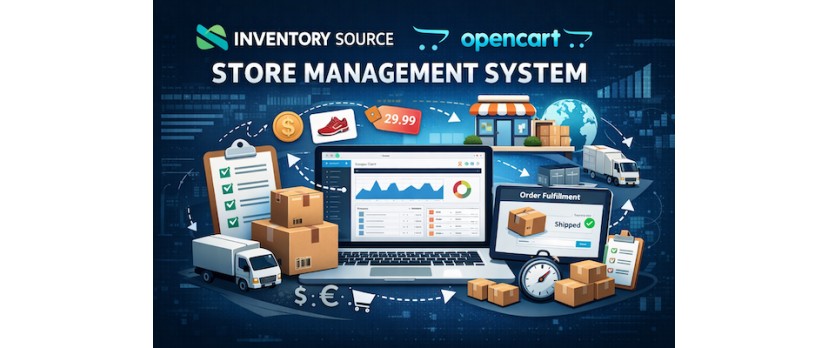
What the OpenCart Inventory Source Connector Does and Who It Is Built For
Running an OpenCart store with multiple suppliers often creates the same problem. Product data lives in different places, stock changes without warning, and orders require manual follow-up. The OpenCart Inventory Source Connector exists to remove that friction by linking your store directly to Inventory Source and its supplier network.
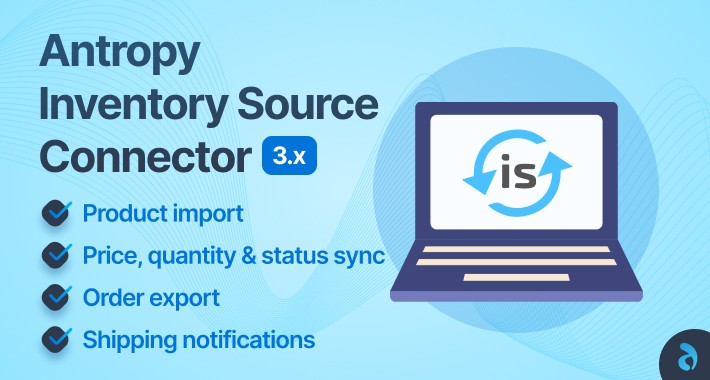
At a practical level, the connector acts as a bridge between OpenCart and your suppliers. Product listings, inventory quantities, and pricing updates flow into your store automatically. When an order is placed, the connector passes the order details back to the supplier without the store owner needing to re-enter information or manage spreadsheets. This keeps product data current and reduces the risk of selling items that are out of stock.
This connector is built for store owners who want control without daily inventory management work. It is especially relevant for:
Dropshipping stores managing dozens or hundreds of supplier-fed products
Merchants scaling beyond a single supplier or fulfillment partner
Businesses where stock levels change frequently and accuracy matters
OpenCart users who want automation but still host and own their store
It is not designed for stores with a handful of static products or fully manual fulfillment workflows. The real value appears when product volume grows and manual updates start consuming time or causing errors.
By keeping inventory data aligned between OpenCart and suppliers, the connector helps store owners focus on pricing, content, and customer experience instead of chasing stock discrepancies. It supports growth without forcing merchants into a closed or subscription-based ecommerce platform.
How Inventory Source Syncs Products, Stock Levels, and Pricing in OpenCart
The OpenCart Inventory Source Connector works by creating a direct data connection between your store and Inventory Source. Instead of importing product files manually or checking supplier dashboards, your OpenCart catalog updates based on supplier feeds that refresh on a set schedule.
Product data sync begins with core catalog details. Titles, descriptions, SKUs, images, categories, and supplier-specific attributes are pulled into OpenCart and mapped to your existing product structure. Store owners can decide which fields are controlled by the supplier and which remain editable inside OpenCart, allowing flexibility without losing accuracy.
Inventory levels update automatically as suppliers report changes. When stock drops or replenishes, OpenCart reflects the new quantity without manual intervention. This reduces overselling and avoids customer complaints caused by outdated availability. For stores with fast-moving products, this single function removes hours of daily checks.
Pricing sync follows the same logic. Supplier cost changes are passed through the connector and can trigger price updates in OpenCart based on predefined rules. Store owners can apply fixed markups, percentage margins, or price floors to protect profitability. This ensures pricing stays aligned even when suppliers adjust costs.
The sync process typically covers:
Scheduled product and inventory updates based on supplier feed frequency
Automatic quantity adjustments to match supplier availability
Pricing updates tied to cost changes rather than manual edits
All updates happen in the background. Store owners can review changes inside OpenCart, but they do not need to approve each update individually. This balance keeps the catalog accurate while preserving control over how products appear and are priced in the storefront.
For OpenCart stores managing large catalogs or multiple suppliers, this sync model replaces repetitive tasks with predictable automation that scales as the business grows.
Automating Order Routing From OpenCart to Inventory Source Suppliers
Once products and inventory are synced, the next pressure point for growing stores is order handling. Manually forwarding order details to suppliers slows fulfillment and increases the chance of mistakes. The OpenCart Inventory Source Connector removes this step by automatically routing orders to suppliers through Inventory Source.
When a customer completes checkout in OpenCart, the connector captures the order data in real time. Product SKUs, quantities, shipping details, and customer information are sent to Inventory Source without requiring exports, emails, or copy-paste work. This allows suppliers to begin fulfillment as soon as payment is confirmed.
Order routing is handled at the item level. If an order contains products from different suppliers, the connector separates the order and sends each line item to the correct source. Store owners do not need to split orders manually or track which supplier handles which product. This is especially important for stores using mixed catalogs or testing new suppliers.
The automation process covers several key stages:
Order details passed directly from OpenCart to the correct supplier
Multi-supplier orders split automatically at the product level
Fulfillment status updates returned to OpenCart as orders progress
As suppliers ship items, tracking details and status updates flow back into OpenCart. Customers can see order progress without store owners manually updating records. This improves transparency and reduces support requests related to shipping updates.
By automating order routing, OpenCart merchants can handle higher order volumes without increasing admin workload. Fulfillment stays consistent even during sales spikes, allowing stores to grow without adding operational complexity.
Supported Supplier Networks and Fulfillment Models in Inventory Source
The OpenCart Inventory Source Connector is designed to work with a wide range of supplier types, which is why it suits stores that plan to expand their catalog over time. Instead of locking merchants into a single fulfillment method, Inventory Source supports multiple supplier networks and order fulfillment models that can operate side by side.
At the supplier level, Inventory Source connects with established dropshipping suppliers, private wholesalers, and custom vendors. This means OpenCart store owners are not limited to a marketplace-style catalog. They can work with branded suppliers, niche distributors, or partners they already trust, as long as product data can be synced through supported feeds or integrations.
Fulfillment models vary depending on how the supplier operates. Common options include direct-to-customer dropshipping, where suppliers ship orders on behalf of the store, and hybrid models where some products are fulfilled by suppliers while others ship from the merchant’s own warehouse. The connector handles both without requiring separate workflows inside OpenCart.
Typical supplier and fulfillment structures include:
Dropshipping suppliers shipping orders directly to customers
Wholesale partners providing stock-based fulfillment
Mixed catalogs combining supplier-fulfilled and self-fulfilled products
For OpenCart merchants, this flexibility matters. It allows stores to test new suppliers, add private-label products, or move bestsellers into in-house fulfillment without rebuilding their store setup. Orders continue flowing through the same system, even as fulfillment methods change.
By supporting multiple supplier networks and fulfillment approaches, the connector gives OpenCart store owners room to adapt. Growth does not require replatforming or changing how orders are managed, which helps keep operations stable as the business evolves.
Setup Process: Connecting Inventory Source to an OpenCart Store Step by Step
Connecting Inventory Source to an OpenCart store follows a clear sequence. The goal is to establish a stable data link before any products or orders move through the system. This avoids mismatched SKUs, pricing errors, or inventory gaps once automation begins.
The process starts by preparing your OpenCart store. Products should use consistent SKUs, categories should be clearly defined, and basic tax and shipping rules must already be in place. These elements act as reference points when supplier data is imported and mapped.
Next, the store is connected to Inventory Source using the OpenCart connector. During this stage, store owners authenticate the connection and select which suppliers will be linked. No products are pushed live yet. This step focuses on establishing permissions and confirming data access.
Once connected, product mapping begins. Supplier products are matched to OpenCart fields such as names, descriptions, pricing, images, and stock quantities. Store owners choose how pricing rules apply and which fields remain editable inside OpenCart. This setup phase determines how much control is retained versus automated.
Before going live, a controlled test is recommended. A small product set is synced, and a test order is placed to confirm order routing, status updates, and tracking data flow correctly. Only after this validation should full catalog syncing be enabled.
By following this step-by-step approach, OpenCart merchants can activate automation without disrupting their live store. The setup process is structured to reduce risk while giving store owners confidence that inventory and orders will behave as expected once automation is fully active.
When the Inventory Source Connector Makes Sense for OpenCart Store Owners
The Inventory Source Connector is most useful when an OpenCart store reaches a point where manual processes start limiting growth. This usually happens when product volume increases, suppliers multiply, or order activity becomes harder to manage without automation.
Store owners who manage a small catalog with stable stock may not see immediate value. The connector is built for stores where inventory changes often and accuracy matters. When stock levels fluctuate daily or pricing shifts without notice, manual updates create risk and wasted time.
The connector makes sense for OpenCart merchants who match these conditions:
Product catalogs that rely on supplier-fed inventory rather than fixed stock
Multiple suppliers or fulfillment partners operating at the same time
Order volumes high enough that manual forwarding slows fulfillment
A need to scale without adding staff or switching platforms
It is also a strong fit for stores planning growth. Merchants who intend to expand their catalog, test new suppliers, or move into hybrid fulfillment benefit from setting up automation early. This avoids reworking workflows later when order volume increases.
For OpenCart store owners who value ownership, hosting control, and flexibility, the connector supports scale without forcing a platform change. It helps reduce operational strain while keeping the store structure intact, making it a practical choice for merchants preparing for long-term growth rather than short-term experimentation.



Login and write down your comment.
Login my OpenCart Account